

 Loading...


What's New at AutomationDirect
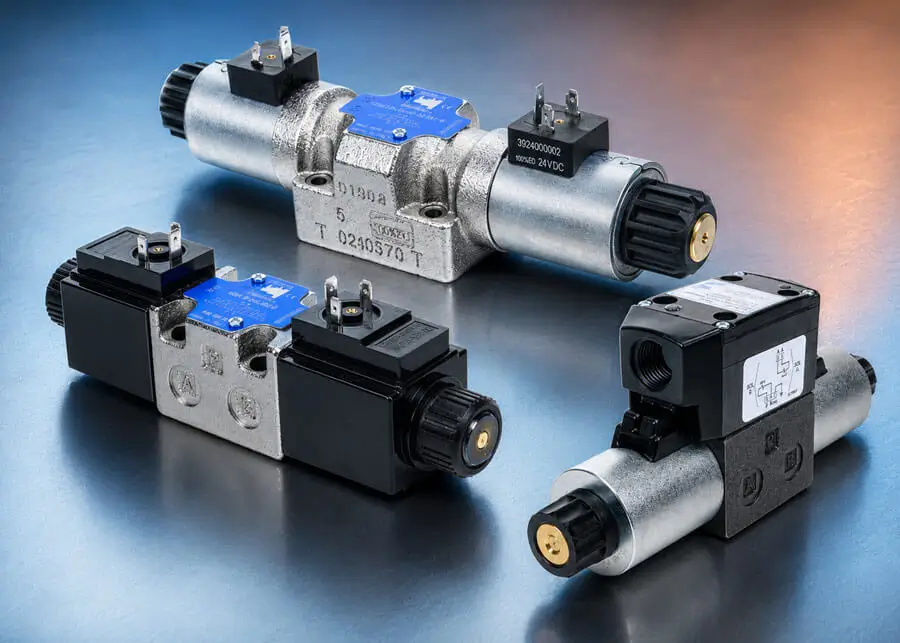
Continental hydraulic valves provide rugged, high‑performance control for industrial hydraulic systems built around NFPA standards. Available in D03 and D05 sizes, these valves support a wide range of circuit requirements while maintaining consistent operation under high pressure and demanding duty cycles.
NFPA D03 solenoid valves deliver reliable, compact directional control for machine tools, automation equipment, and general industrial hydraulics. Available in 4‑way, 2‑ or 3‑position configurations with open, closed, tandem, or float center options, they support both fixed‑displacement and pressure‑compensated pump systems. Cast‑iron construction, manual overrides, and DIN or conduit wiring options make these valves easy to install and service, with operating pressures up to 5,000 psi.
For operator‑controlled applications, NFPA D03 manual valves provide straightforward, dependable directional control without electrical actuation. These compact 4‑way, 3‑position valves are offered with closed or float center configurations and rugged cast‑iron bodies, making them well-suited for industrial environments where simplicity and durability are key.
NFPA D05 solenoid valves expand system capability with higher flow capacity while maintaining standard NFPA mounting. Offered in 4‑way, 2‑ or 3‑position designs with multiple center conditions, these valves feature robust cast‑iron construction, manual overrides, and DIN wiring. Rated up to 4,600 psi, they are ideal for presses, material handling systems, and other demanding hydraulic applications.
Continental NFPA D03 solenoid valves start at $158.00 (AD03009), NFPA D05 solenoid valves start at $227.00 (AD05006), and NFPA D03 manual valves are priced at $297.00 (AD03017).
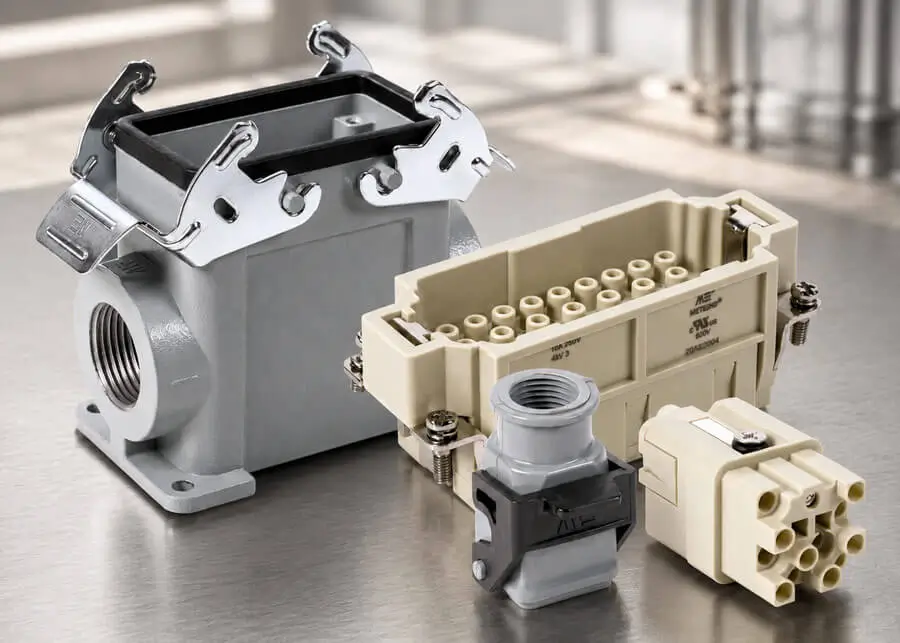
METEcon multi-wire connectors simplify complex industrial wiring while improving long-term reliability. Our expanded offering includes more inserts, housing components (including new 32B size), and configuration options without increasing complexity. With pole configurations from 2 poles plus ground up to 108 poles plus ground, screw or crimp terminations, and support for 26–6 AWG conductors rated 10–80 A, METE connectors adapt easily to control panels, OEM machinery, factory automation, motors and drives, and modular systems. Rugged aluminum or thermoplastic housings, gas-tight crimp contacts, and UL/CE approvals ensure dependable performance in demanding environments, all while reducing wiring time, installation errors, and total system cost.
METEcon multi-wire connector housings start at $2.00 (290803105), inserts start at $2.50 (29007), and crimp contacts start at $47.00 (14106864) /100pk.
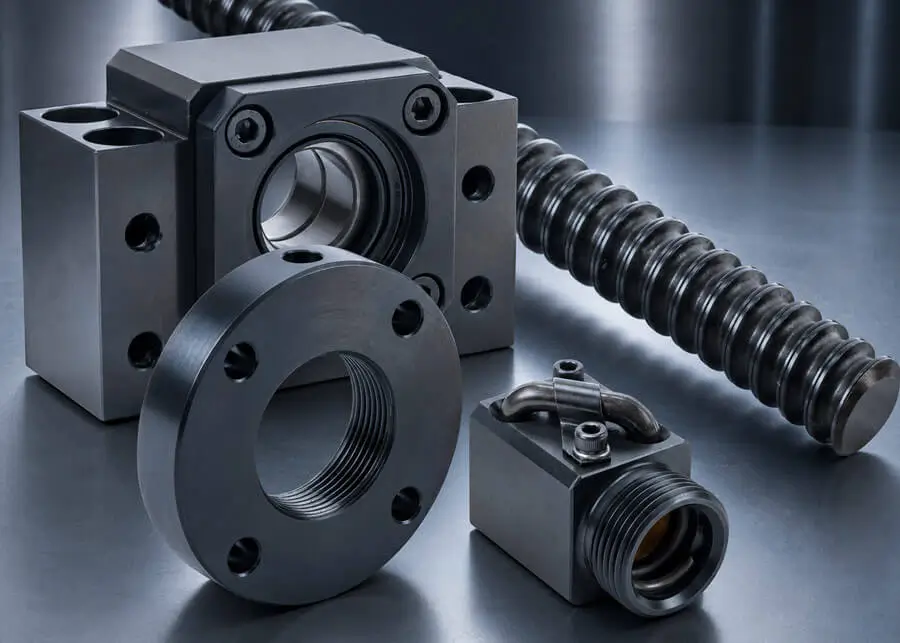
A broad range of RBS ball screws and nuts has been added to support precise linear motion in both OEM and maintenance replacement applications.
Designed to convert rotational motion into linear movement, these US-manufactured ball screws are engineered for high positioning accuracy, low friction, and long service life. Utilizing recirculating ball bearings that roll rather than slide, they achieve efficiencies exceeding 90% while minimizing heat generation and wear. With available diameters from 3/8” up to 1”, lengths from 24” to 72”, and multiple lead options, they support applications such as CNC machinery, robotics, packaging equipment, and material handling systems where controlled linear motion is critical.
RBS ball nuts are precision‑matched to their corresponding screws to ensure consistent load distribution and reliable performance. Designed to handle axial loads with minimal backlash, they help maintain accuracy over extended operating cycles and are well‑suited for both high‑speed and high‑load applications. Select models feature safety springs and/or compatibility with wiper kit accessories for tackling tough operating environments. Together, RBS ball screws and nuts provide a dependable solution for applications requiring precise motion control, reduced maintenance, and extended operational life.
New RBS ball screws start at $52.00 (R30-1-2AD) RBS ball screw nuts start at $19.00 (R302)
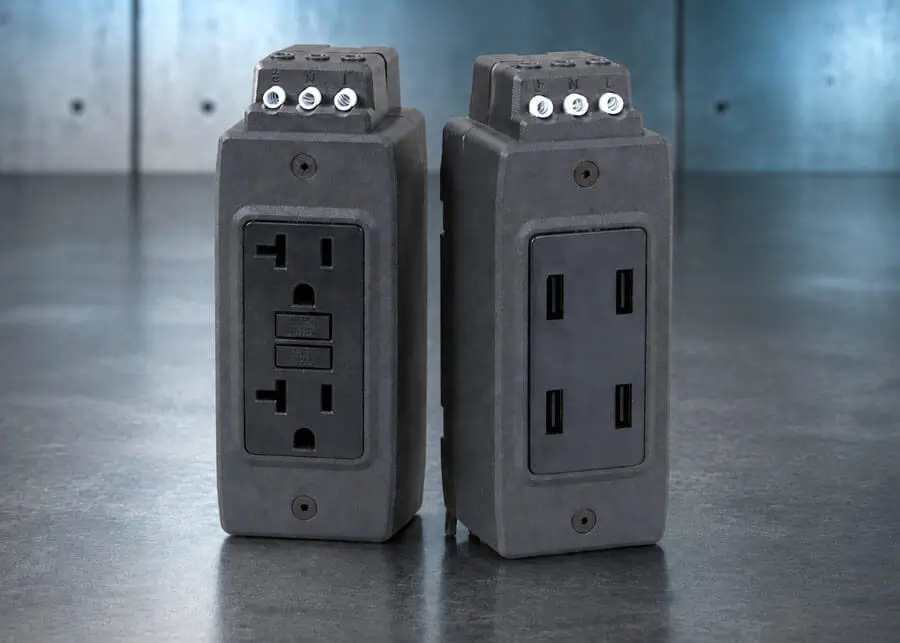
Gladiator GR series DIN rail mounted duplex receptacles are convenience outlets easily installed within electrical enclosures to provide temporary power for laptop computers, test equipment, and USB powered devices. The new GR-REC2 model consists of two NEMA 5-15 straight blade receptacles, the GR-REC2-GFCI adds GFCI protection, and the GR-REC2-USB-xx receptacles include USB ports in various configurations—one USB A and one USB C port (GR-REC2-USB-AC), two USB C ports (GR-REC2-USB-2C), and two USB A ports (GR-REC2-USB-2A). The GR-USB-4A receptacle consists of four USB A ports only, designed specifically for USB A powered devices. All models are 125 VAC/15A rated, UL recognized, CE marked, and offer a 2-year warranty.
The new Gladiator duplex receptacles start at $32.50 (GR-REC2).
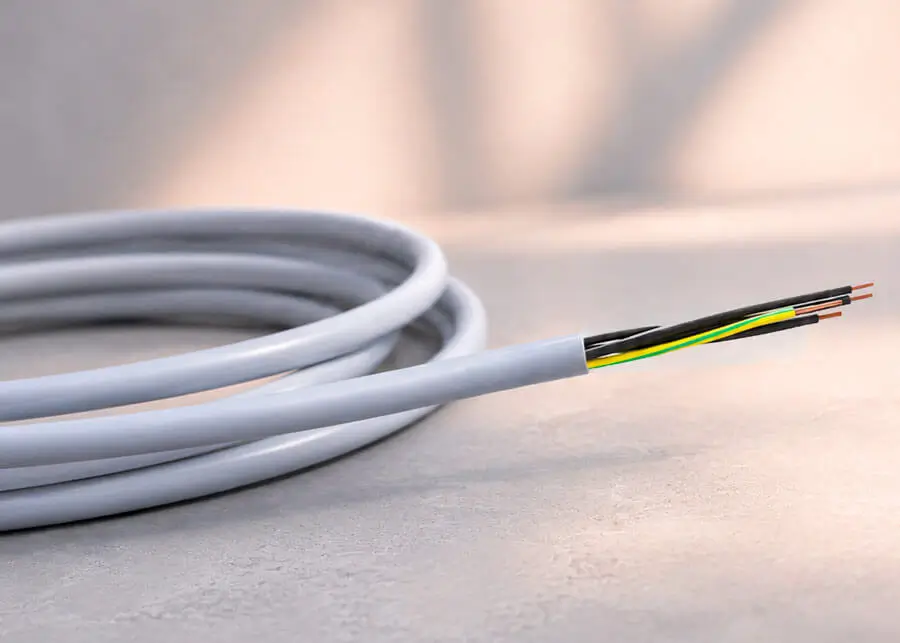
New Lapp OLFLEX® 190 flexible control cable provides a rugged, versatile option for demanding industrial wiring applications. Designed for machinery, equipment, and control panels, OLFLEX 190 features finely stranded copper conductors with number‑coded insulation and an oil‑, coolant‑, and solvent‑resistant outer jacket for reliable performance in dry, damp, or wet locations. Approved for TC‑ER and PLTC‑ER use, compliant with NFPA 79 machinery wiring standards, and available in sizes from 20 AWG to 6 AWG with up to 41 conductors, OLFLEX cable integrates easily alongside existing tray‑rated control cables while offering excellent flexibility, broad agency approvals, and resistance to harsh industrial and washdown environments. These flexible control cables can be ordered cut to length in 1-foot increments to avoid unnecessary waste and expense.
Lapp OLFLEX 190 flexible control cable starts at $0.71 (L602002-1)/ ft. (20 ft. min.).
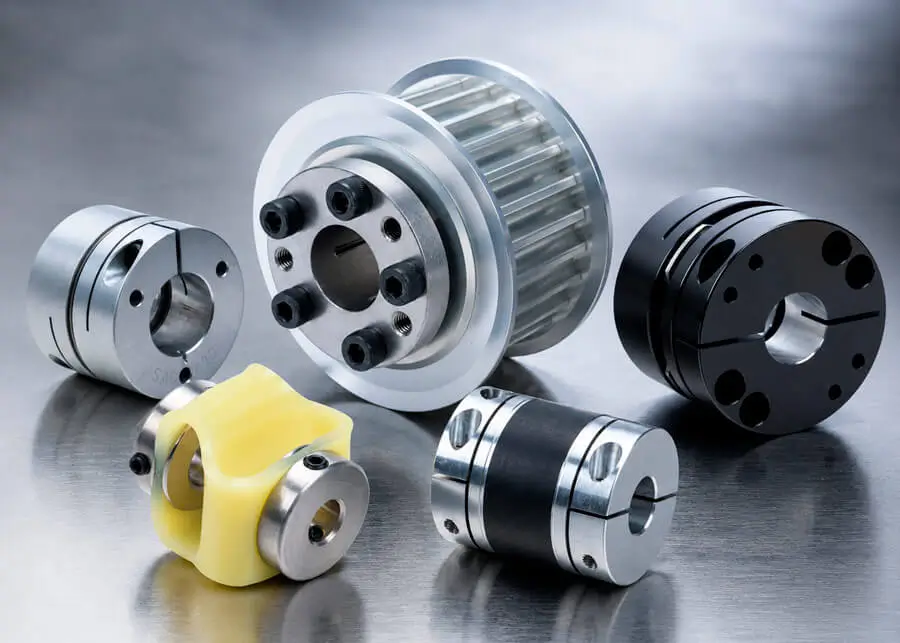
A wide selection of SIM couplings, along with a new offering of 8M timing pulleys, has been added to support reliable power transmission in both OEM and MRO applications. Designed for precise motion control, these components help efficiently transmit torque and rotational power between shafts and belt‑driven systems across a wide range of industrial equipment.
SIM couplings are engineered to connect driving and driven shafts while maintaining accurate alignment and consistent torque transfer. Available in multiple bore sizes and configurations, they help reduce vibration, accommodate minor misalignment, and support smooth system operation in compact mechanical assemblies. Newly introduced Advanced Disc Couplings deliver high torsional stiffness and zero‑backlash performance for precision motion systems where accuracy and responsiveness are critical. High Torque Disc Couplings expand the offering further, providing robust torque capacity and reliable power transmission for demanding industrial drives operating under higher load conditions.
SIM timing pulleys transmit rotational power from shafts to timing belts with dependable accuracy and consistent tooth engagement. The newly added pulleys expand the lineup to include 8M sizing. With this addition, designers and maintenance teams can now source fully matched 8M belt‑and‑pulley combinations from a single supplier, supporting synchronized motion in automation, packaging, material handling, and other precision‑driven machinery.
New SIM coupling components start $11.00 (SOH-16C-3) and 8M timing pulleys start at $123.00 (A25-8M20-SPBO-0750).
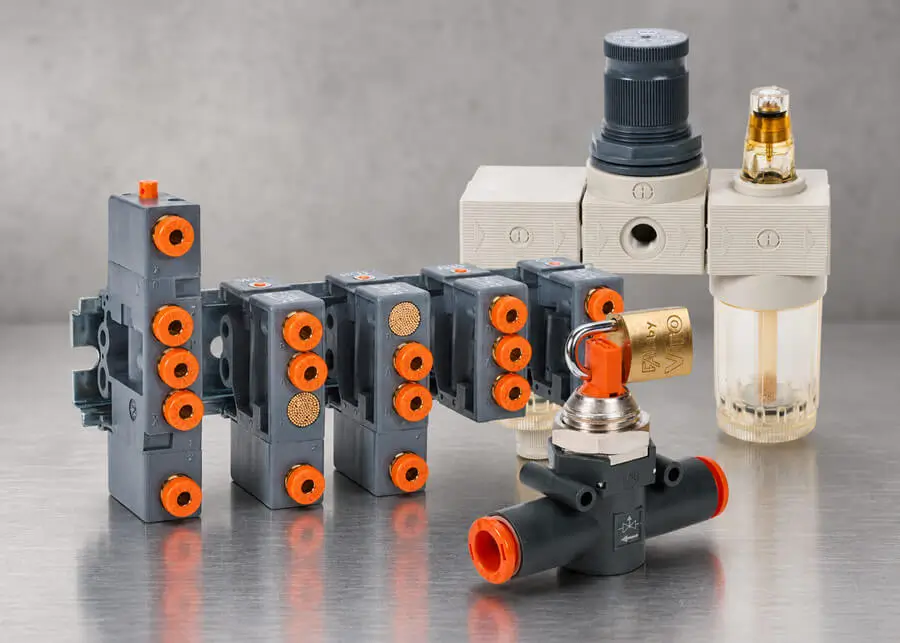
A broad range of Metal Work pneumatic and potable water components has been added to support both general and specialized applications. The BIT series air prep line includes compact, cost effective filters, coalescing filters, regulators, lubricators, filter regulators, and complete FRL units. Available in multiple pressure ranges with 1/8" and 1/4" NPT ports, select units also feature clear technopolymer bowls for quick visual checks.
For drinking water applications, BIT series pressure regulators and filter regulators offer precise control and particulate removal in a lightweight, affordable design. With adjustable settings and rugged construction, they suit OEM equipment, food and beverage machinery, and similar uses.
Metal Work logic element valves expand pneumatic control by enabling OR, AND, NOT, YES, and MEMORY functions directly in air circuits—ideal where electrical control is undesirable. These compact valves include push-to-connect fittings, DIN rail mounting, and durable technopolymer bodies.
New special purpose inline fittings add flexible pneumatic functions such as pressure monitoring, mechanical pressure switching, valve operations, and filtration. Built with lightweight housings and push-to-connect ports, they install quickly and easily without tools.
Metal Work special purpose fittings start at $11.00 (9063016) logic element valves start at $17.00 (W3604000001) air prep units start at $20.50 (5101002U) potable water prep units start at $21.50 (5108001FU).
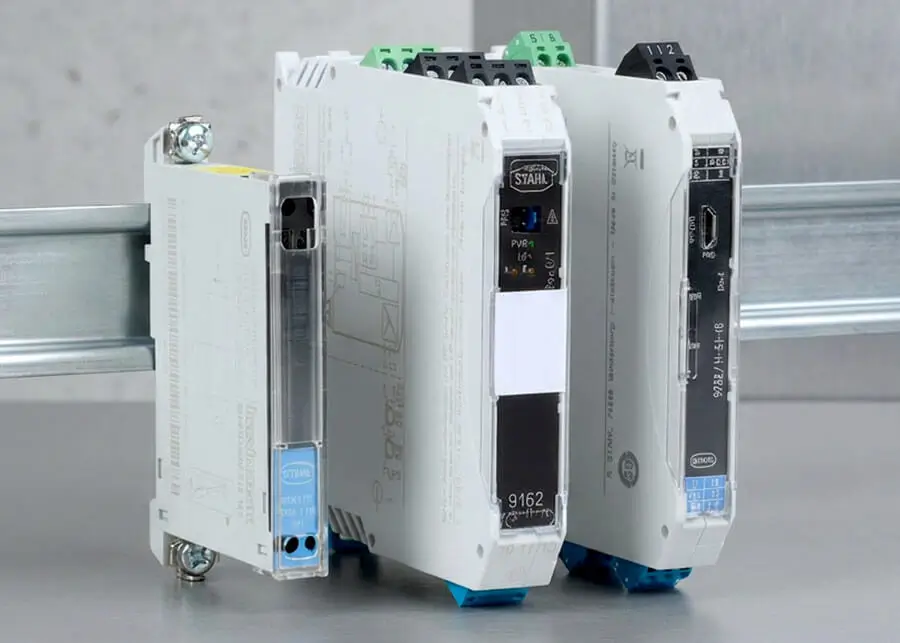
The addition of new STAHL Zener barriers and intrinsically safe isolators expands our offering of safety products, further strengthening our ability to support a wide range of hazardous area applications.
This expanded lineup adds single- and multi-channel support for the following input signals: zero-potential contacts, vibration transducers, 7.5 VDC load cells, analog current transmitters, frequency inputs, RTDs, thermocouples, and potentiometers. Analog modules offer HART communication options.
STAHL’s ISpac Wizard configuration and monitoring software is now available as a free download, supporting the 9146, 9162, 9182, and 9282 series isolators and compatible with the STAHL configuration sets. This tool provides a safety loop assessment to determine compatibility between field devices and barriers, as well as calculate maximum cable lengths.
The new STAHL isolators and Zener barriers start at $201.60 (9001/01-280-110-101).
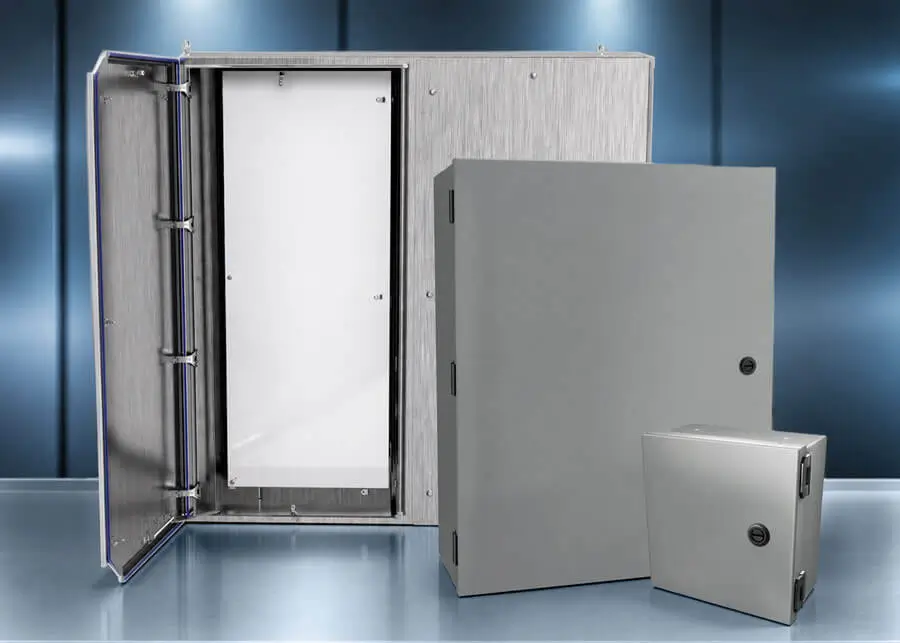
New Saginaw NEMA 1 wall‑mount enclosures are designed for indoor use where economical, reliable protection is essential. Available in a wide range of sizes, these enclosures feature sturdy carbon steel construction, convenient knockouts on all sides for streamlined wiring, 180‑degree door opening for easy access, and compatibility with common subpanels and accessories. For hygienic and washdown environments, new stainless steel sanitary slope‑top enclosures provide corrosion resistance and cleanability, with continuously welded seams, FDA‑grade silicone gaskets, sanitary latching hardware, and high environmental ratings suitable for food, beverage, pharmaceutical, and medical applications.
For outdoor installations, new solar shields offer a simple, cost‑effective way to reduce solar heat gain while adding protection from rain and snow. By helping lower internal enclosure temperatures, solar shields can extend component life and improve system reliability in exposed locations. These shields are designed for straightforward installation and are available in multiple sizes with compatible mounting brackets.
Additional accessories have been added to improve enclosure usability and structural performance. Top‑mount counterbalance suspension arms allow HMI enclosures to be positioned smoothly and ergonomically, supporting loads while keeping cables neatly routed. New battery rack and shelf systems provide reinforced internal support for heavy batteries, chargers, and inverters, transferring weight to the enclosure corners to prevent distortion, maintain door alignment, and protect enclosure seals over time.
Saginaw NEMA 1 enclosures start at $63.00 (SCE-8N804NKLP) solar shields start at $190.00 (SCE-SH1212M8) counter balance suspension arms start at $3,430.00 (SCE-SAHCB44T70TM) sanitary slope top enclosures start at $5,471.00 (SCE-60K3612SSST).
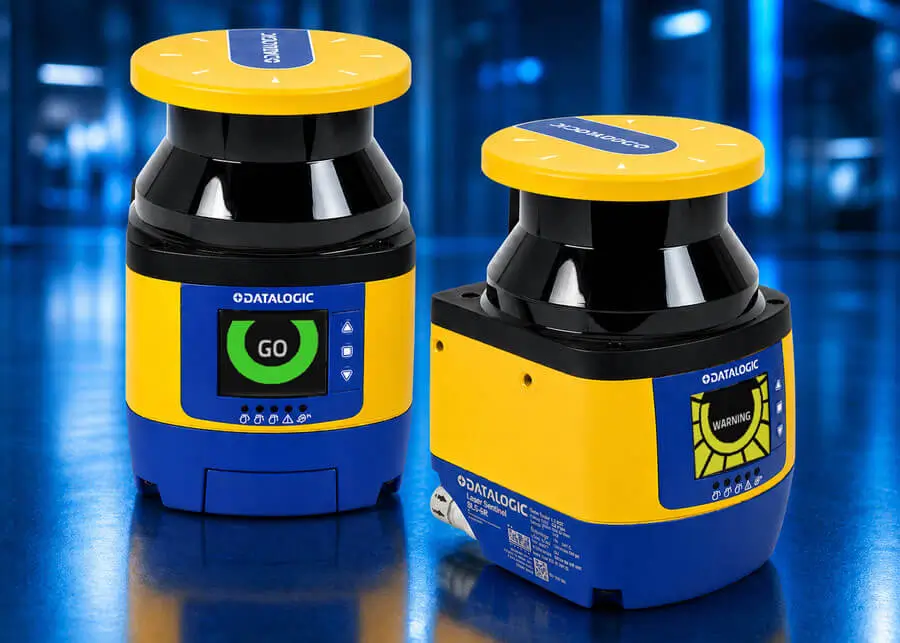
The Datalogic SLS series safety laser scanners are now offered in enhanced models, delivering advanced protection for machinery, robotic cells, and mobile automation applications. These next-generation scanners use time of flight measurement technology to safely monitor up to a 72 m² area with a wide 275° scanning angle, ensuring reliable detection in even the most demanding industrial environments.
These advanced scanners include master, standalone, and remote configurations, all designed for flexible integration. The enhanced master and remote scanner variants offer selectable resolutions (30/40/50/70/150 mm), multiple safety and warning zones, and improved detection performance in a compact, IP65-rated housing. Users benefit from fast configuration through the Datalogic Sentinel GUI, advanced dust filtering, and intuitive diagnostics via a color display.
The remote units provide the same performance as master units while offering a more cost-effective option when used in a multi-scanner installation with a master.
The new enhanced Datalogic safety laser scanners start at $3,531.00 (SLS-R3-E).
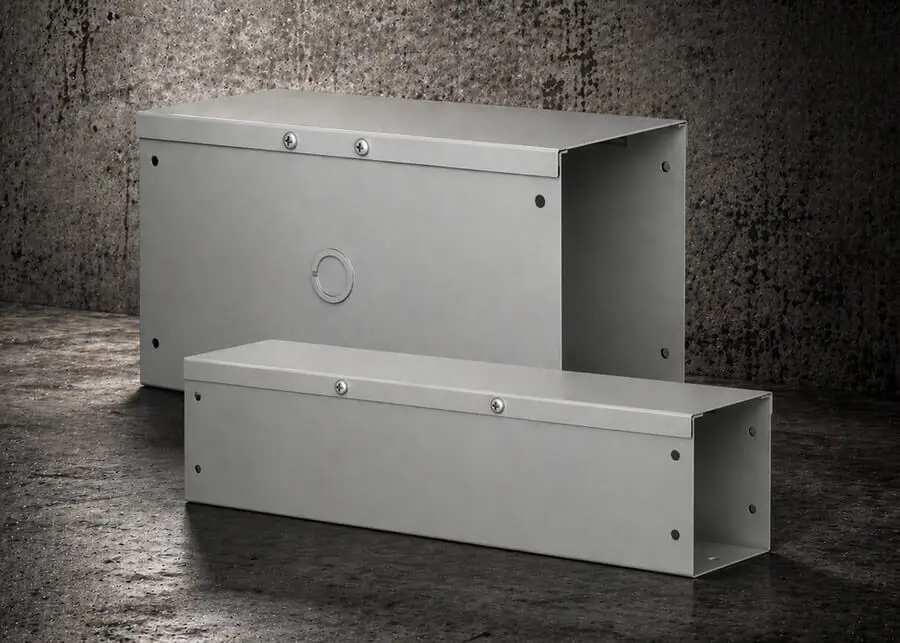
Hammond wireways are designed to house electrical cables and wires, keep them organized, and protect them from environmental contaminants or physical damage. The new CW series carbon steel lay-in wireways are available with a NEMA 1 rating, a hinged screw cover, and are offered with or without knockouts. Wireways with hinged covers allow for quick access to wiring, splices, taps, and distribution blocks.
In addition to these wireways, many fittings and accessories for each specific series are available to help complete installations quickly and efficiently, and to ensure the best possible layout.
Hammond CW series hinged wireways start at $20.00 (CWST212).
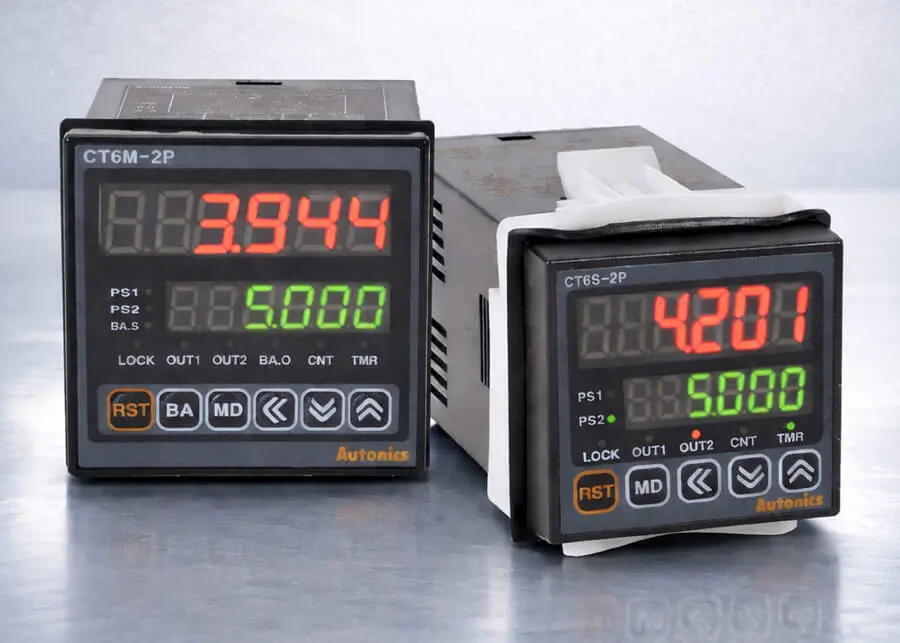
Autonics CT series counter/timers deliver a powerful, easy-to-use solution for counting, timing, and batching applications, backed by the trusted Autonics brand. Designed for fast setup, these versatile units can be configured directly from the front-panel pushbuttons, with select models programmed via RS 485 using Autonics DAQMaster software.
Autonics counter/timers offer application specific models that simplify configuration while expanding functionality beyond traditional units. Available features include optional communications, batching capability, and 4-digit or large 6-digit displays. Offered in multiple DIN sizes, including a new 72 × 72 mm option, they support both 120 VAC and 24 VDC power and provide expanded output options.
With flexible configuration and free software tools, Autonics CT counter/timers are a smart choice for modern automation systems requiring dependable performance.
Autonics CT counter/timers start at $125.00 (CT4S-1P2).
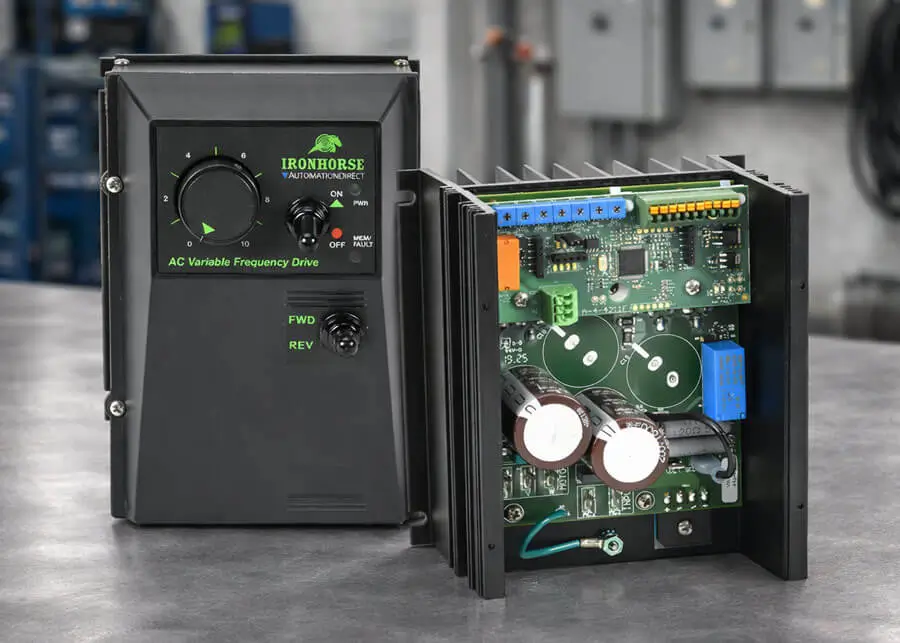
IronHorse ES1 AC drives allow simple AC motor control for 3/4 up to 2 hp 230 VAC three-phase motors from a single-phase 120 VAC or 230 VAC input. These drives are proudly made in the USA and feature a simplified setup, requiring no software or parameters. The entire drive configuration is done through hardware trim pots for all settings, including minimum speed, maximum speed, current limit, acceleration, deceleration, boost, and DC injection braking.
They are available in an open-chassis or NEMA 4X enclosure. The NEMA 4X models can be purchased with an optional enclosure-mounted FWD-REV switch. Motor speed is adjustable with an included potentiometer (enclosure mounted on NEMA 4X models) or from an external 0-5 VDC follower input. ES1 drives are simple V/Hz control drives, but can be set to output from 0-60Hz. They support the following inputs: FWD-REV, run, and (holding) brake.
IronHorse ES1 drives start at $214.00 (ES1-3A-C).
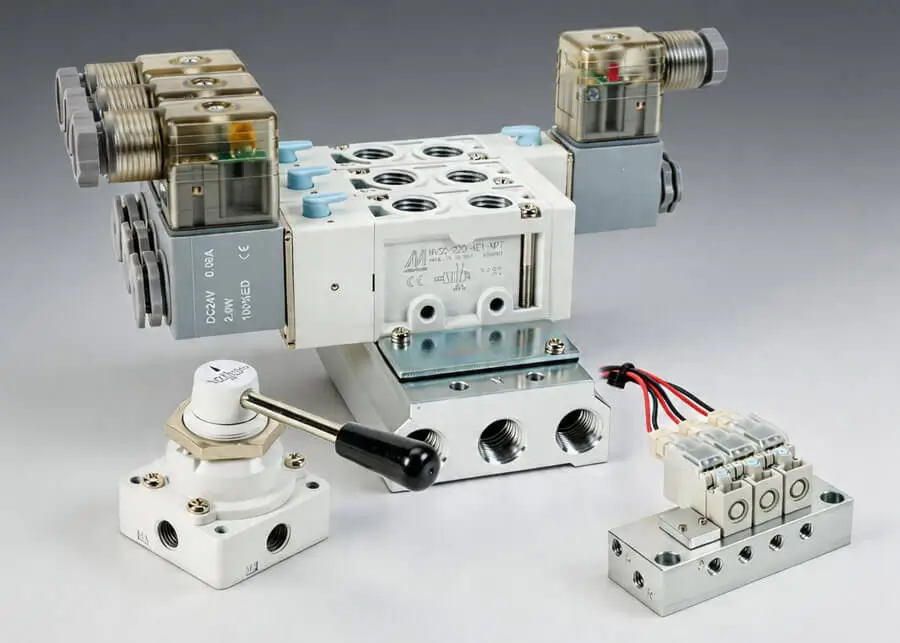
Mindman MVSC and MVSC1 directional control solenoid valves and manifolds provide reliable, high performance air control for a wide range of automated systems. The MVDC stackable solenoid valve series builds on that capability with a modular design that keeps installations clean and scalable, making it easy to create efficient multi-station valve banks. For compact machinery and precision equipment, MVDY miniature solenoid valves offer fast, dependable switching in a space saving form factor ideal for tight layouts. A wide variety of coil voltages, operating pressures, and port sizes are available for Mindman solenoid valves.
MVAA pilot valves complement these solenoid families by delivering efficient, low power actuation for larger valves and manifolds, supporting responsive and energy conscious system designs. Available in 5-port (4-way) and 3-port (3-way) designs with 116 psi max operating pressure.
For operator controlled applications, Mindman general purpose foot and hand valves provide durable, intuitive manual control suited for a range of industrial environments. Various port sizes, positions, types (rotary lever, push-pull, pushbutton, hand lever, etc.) and pressures are offered.
When installations call for simplified panel layouts or compact operator stations, Mindman miniature manual air valves provide clean, precise manual actuation in a small footprint.
Rounding out the offering, MVHS 2-port (3-way) manual slide shut off valves give maintenance teams a straightforward way to isolate air supply, helping improve safety and streamline service procedures.
Mindman manual slide shut-off valves start at $11.00 (106600000044001) pilot valves start at $24.00 (104015015021004) solenoid valves start at $28.00 (103022011324002) general purpose foot and hand valves start at $33.00 (106322000034002).
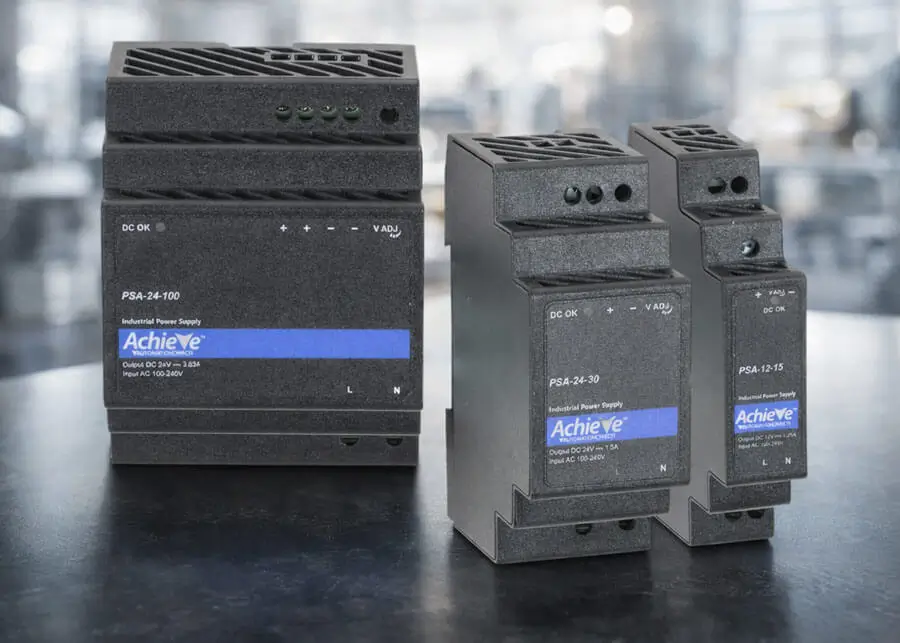
AchieVe PSA series NEC Class 2 power supplies combine a compact form factor with energy-limited DC outputs, providing safe, reliable power for low-voltage control and automation circuits. Their competitive pricing and slim profile make them ideal for small control loads and space-limited enclosures.
The power supplies feature a wide 85-264 VAC input range and adjustable 5, 12, or 24 VDC outputs across 15-100 W models. With efficiencies up to 91%, they minimize energy loss and heat dissipation within enclosures. Their IP20 finger-safe terminals prevent accidental contact with live components during installation and maintenance.
AchieVe NEC Class 2 power supplies start at $18.00 (PSA-12-15).
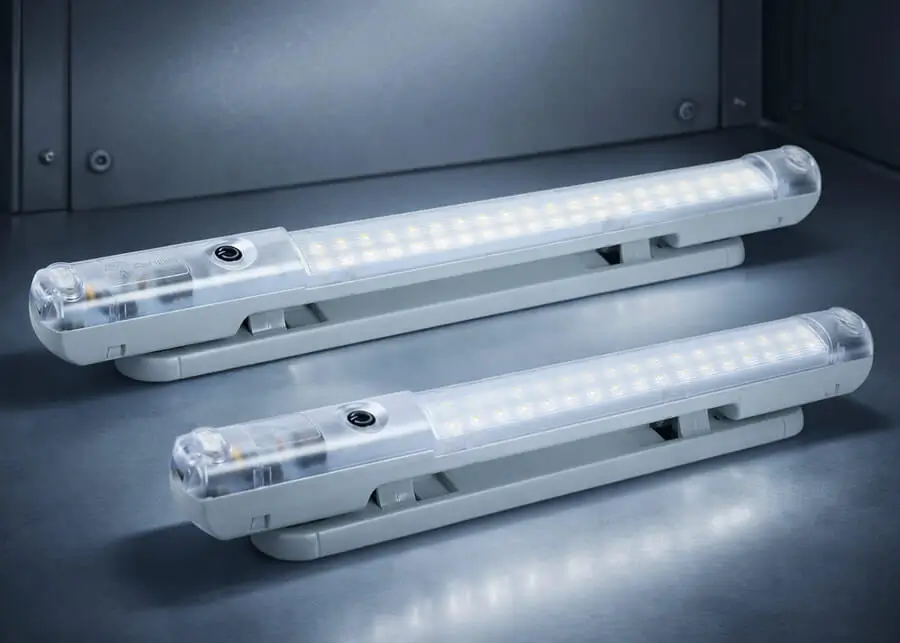
Fandis Lumeis series LED enclosure lights are designed to deliver powerful lighting performance, unmatched energy efficiency, and effortless installation. These lights provide 600 lumens of bright, uniform light while consuming less than 5 watts, making them an ideal solution for energy-conscious engineers and panel builders. The Lumeis series stands out for its versatile operating voltage range—from 20–265 VAC/VDC, depending on the model—ensuring seamless integration across diverse industrial environments.
These enclosure lights also feature a screwless terminal block connection and multiple mounting options, including traditional screw mounting or convenient magnetic fastening for maximum flexibility. With an adjustable body that swivels up to 40° in either direction, users can direct illumination exactly where it's needed. To further enhance usability, the series offers a manual ON/OFF switch or an integrated PIR motion sensor, which automatically activates lighting only when required.
Lumeis LED lights deliver an impressive 160,000-hour life expectancy at 25°C and are protected by IP20 enclosure ratings. With approvals including CE, cURus, and UKCA, these lights meet rigorous global compliance standards. Additionally, up to ten units can be daisy-chained, streamlining wiring for larger panels or extended installations.
Fandis Lumeis LED enclosure lights start at $101.00 (FLL-A2306USTB).
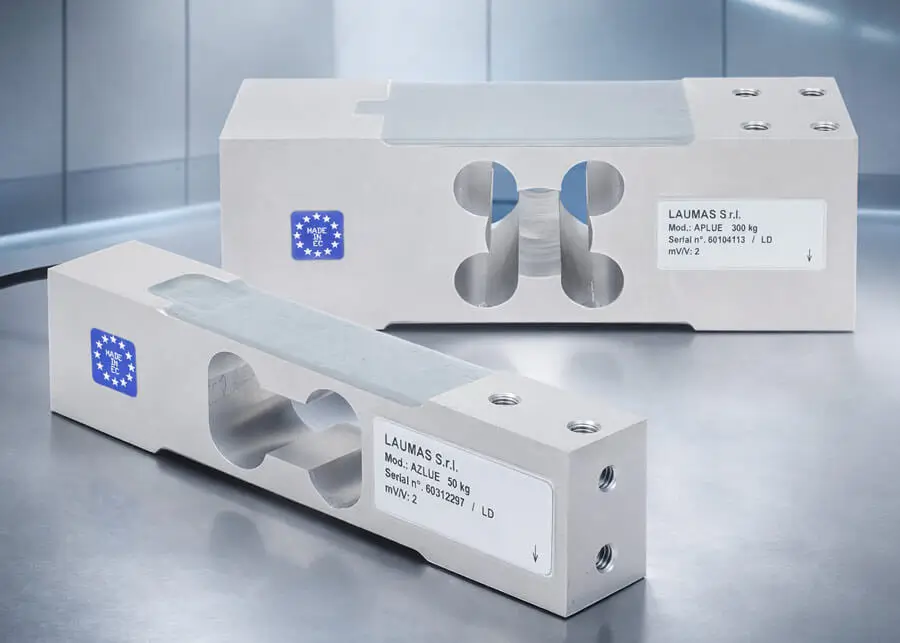
Laumas ALLUE, AZLUE, and APLUE series single‑point load cells support industrial weighing applications from compact platform scales to larger conveyor and hopper systems. Manufactured in Europe to strict quality standards, this lineup provides scalable weighing options up to 600 kg (1320 lb).
These models feature 0.02% full‑scale accuracy, a wide operating temperature range, and stable performance under off‑center loading for platforms up to 600 × 600 mm. Their rugged construction includes a 150% overload rating and an IP65-rated, corrosion‑resistant aluminum housing for reliable operation in industrial environments. Accessories for select models support tension applications and three‑point weighing setups.
Laumas single-point load cells start at $122.00 (ALLUE3).
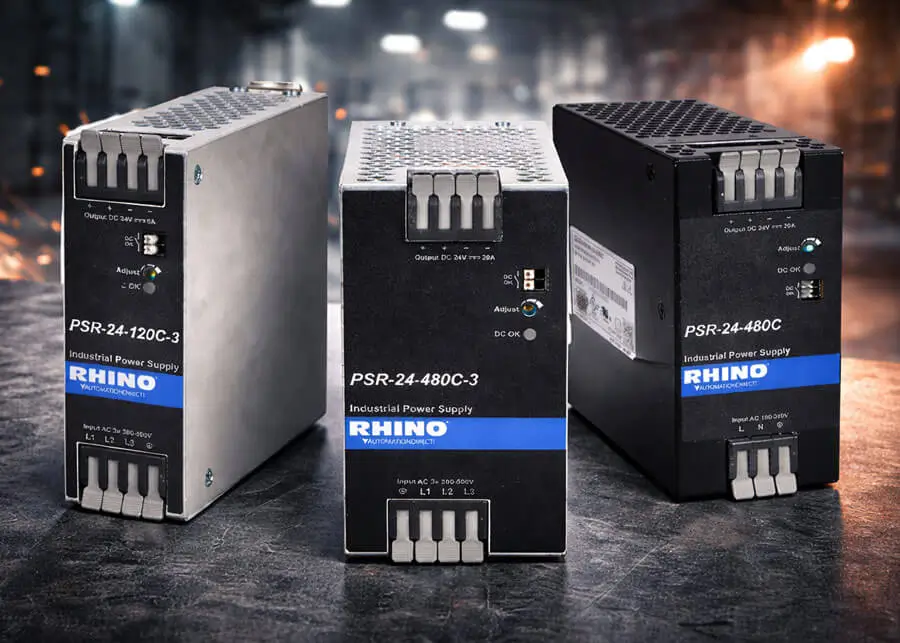
RHINO PSR series power supplies with tool‑free spring clamp terminals provide secure, vibration‑resistant connections that never need retorquing, delivering long‑term reliability in industrial panels. These competitively priced power supplies combine an ultra‑slim design with rugged metal or aluminum housings, making them ideal for space‑constrained control cabinets.
With high efficiency, high power density, and constant‑current overcurrent protection, the PSR series is well‑suited for charging and other demanding loads. Single‑phase and three‑phase models offer a wide input range and adjustable 24 VDC outputs from 120 to 480 W. Their IP20 finger‑safe protection rating prevents accidental contact with live components during installation and maintenance.
RHINO PSR series spring clamp power supplies start at $70.00 (PSR-24-120C).
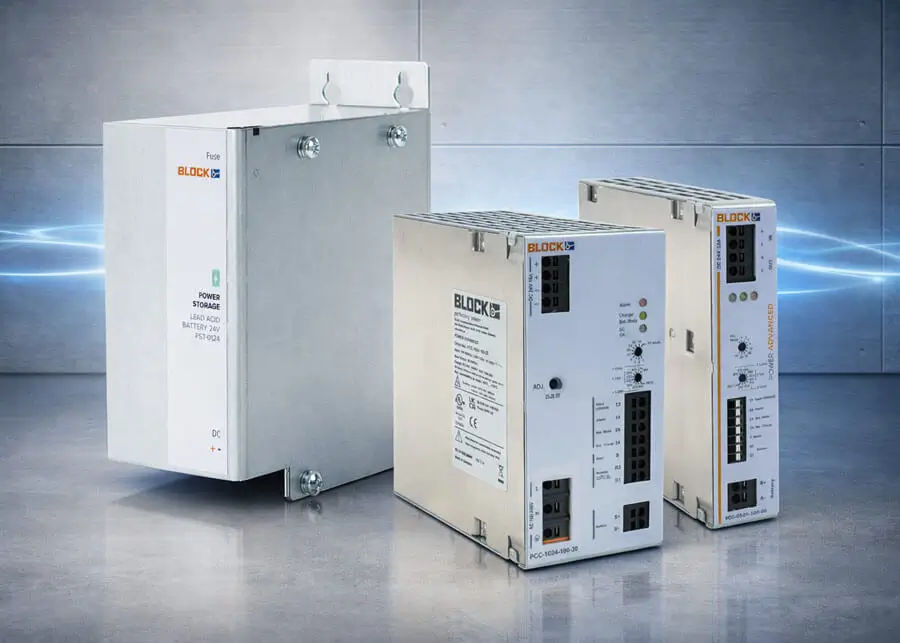
BLOCK DC uninterrupted power supply (UPS) devices and modules provide low-cost solutions for applications requiring continuous equipment operation. The Power Advanced series offers a switching power supply and a battery control module in one unit for optimal battery management, along with a UPS system to monitor the battery for low power conditions. New BLOCK battery control modules work with 24 VDC power supplies of any brand to easily add a reliable UPS to existing systems. The BLOCK buffer control module uses Electrolytic Double Layer Capacitors (EDLC) to monitor, control, and provide backup power to a unit without using traditional battery control modules and batteries. This unit is ideal for applications requiring short-duration power bridging with maintenance-free operation and an extended lifespan. The BLOCK battery storage modules provide an enclosed compartment where a battery can be stored. Combined with a power supply and battery control module, these storage devices build a complete UPS system that will quickly switch from standby to full power, maintaining grid reliability. The BLOCK Power Mini series power supplies offer performance and reliability without the higher cost of full-featured power supplies. These robust power supplies feature a compact form factor, excellent transient voltage protection, and are adaptable for a wide range of applications.
The BLOCK Power Mini series power supply is priced at $112.00 (PM-0224-038-0), Power Advanced series UPS power supplies start at $255.00 (PCC-1024-050-20), battery control modules start at $150.00 (PCC-0524-100-00), the buffer control module is priced at $295.00 (PC-0424-010-00), and battery storage modules start at $107.00 (PST-0024-032-10).
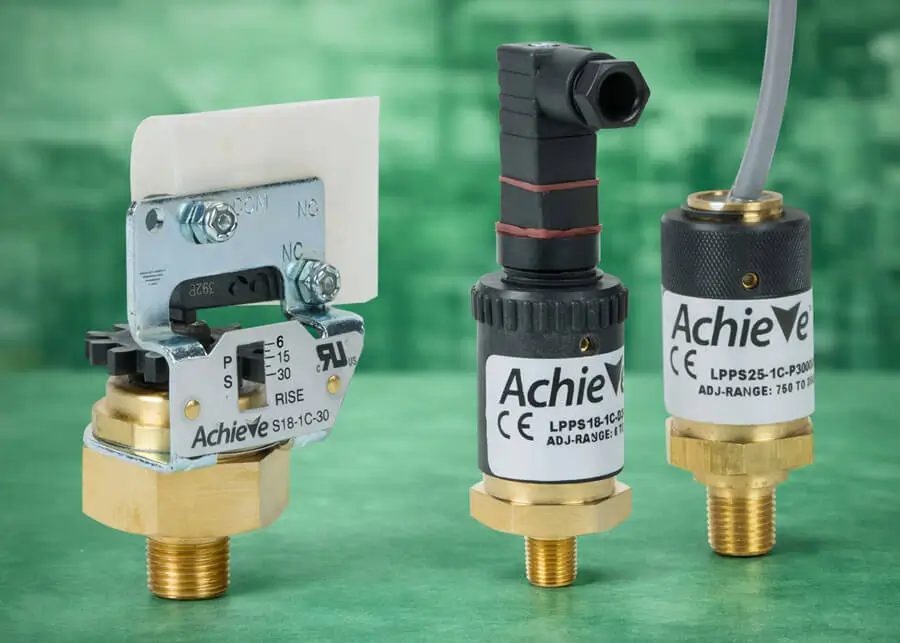
AchieVe LPPS and S18-1C mechanical pressure switches deliver rugged, reliable pressure sensing for demanding industrial applications. Built with durable brass housings and simple, secure setpoint adjustment, these switches provide dependable relay outputs without the need for external contactors or interposing relays.
The LPPS series supports pressure ranges up to 3000 psig and features a 5A SPDT relay output at 125 VAC (3A at 30 VDC). Models are offered with 1/8 or 1/4 in. NPT male process connections and a mechanical setpoint adjustment with locking screw, all in a rugged housing rated for NEMA 4 and 13 environmental protection.
The S18‑1C series is designed for pressure ranges up to 120 psig and features a high‑capacity 10A SPDT relay output at 125/250 VAC (5A at 30 VDC). These switches include a simple thumbwheel for fast, precise setpoint adjustment, a 1/8 in. NPT male process connection, and rugged construction that ensures consistent performance across a wide ‑20 to 220°F operating range.
The AchieVe LPPS series pressure switches start at $49.00 (LPPS18-1C-D30A), and the S18‑1C series is priced at $33.00 (S18-1C-120)
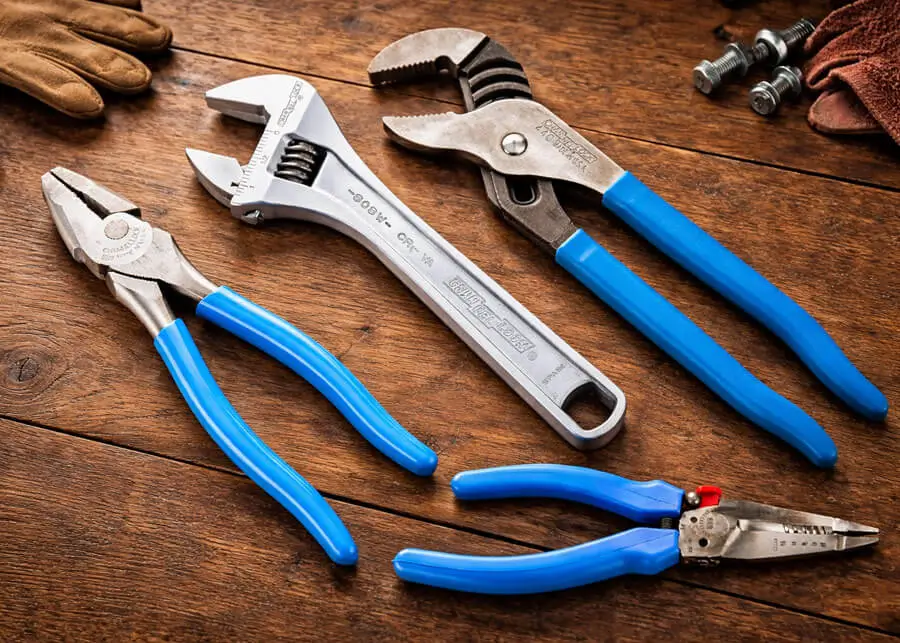
CHANNELLOCK® American-made pliers and tool sets are engineered for tradespeople who demand reliability on every job. V-jaw pliers offer superior contact on pipes, tubing, and round stock thanks to their unique geometry. With laser-hardened teeth, PERMALOCK® fasteners, and a slip-resistant undercut tongue-and-groove design, these pliers deliver extreme holding power.
For heavy-duty cutting, CHANNELLOCK lineman’s pliers feature Xtreme Leverage Technology (XLT™), which places the rivet closer to the cutting edge for dramatically reduced cutting effort. Precision-machined knife-and-anvil edges ensure perfect mating and long-term cutting efficiency.
New locking pliers offer curved-jaw and long-nose variants designed for fast, one-handed operation. The extended-release lever prevents pinch points while the epoxy-resin coating boosts rust resistance—ideal for metalworking, automotive, and fabrication environments.
Additionally, CHANNELLOCK end cutting pliers are engineered with XLT technology and laser-treated cutting edges for cleaner, stronger cuts through nails, wire, and fasteners. New cable cutting pliers provide exceptional shearing force, easily handling up to 4/0 aluminum and 2/0 copper cable—making them indispensable for electricians and automotive technicians. Long reach pliers deliver extended access in tight or recessed workspaces with precision gripping and cutting performance. Snap ring pliers and multiple technician’s tool sets are also available, offering turnkey tool assortments with professional-grade versatility.
New CHANNELLOCK pliers start at $15.50 (412), new tool sets start at $125.00 (GS-25)
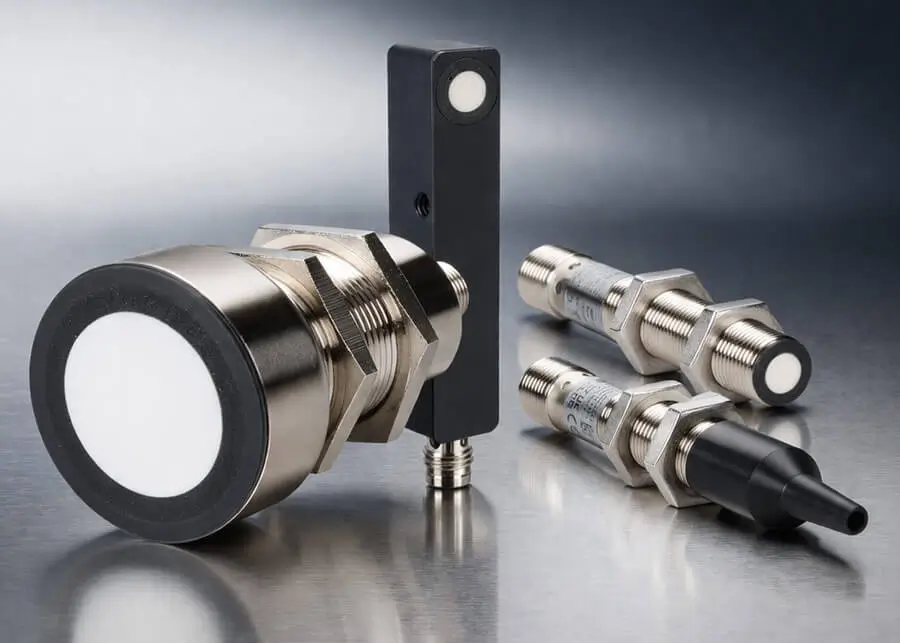
di-soric 8, 12, 18, and 30mm tubular and 12mm rectangular ultrasonic proximity sensors are designed for contactless distance measurement and offer IO-Link with ISDU support, a rugged nickle plated brass construction, high IP67 protection ratings, and sensing distances up to 6,000mm. ISDU (Indexed Service Data Unit) provides on-demand exchange of parameter data (i.e. identification, configuration, diagnostics) between the IO-Link master and the connected device to ensure that measuring tasks and tasks such as avoiding influence from several sensors are possible in one application. ISDU allows access to specific settings using index/subindex addresses, enabling parameter modification, such as changing sensor thresholds or device diagnostics, without disrupting real-time operation. Output options include N.O./N.C. selectable outputs with push-pull NPN or PNP configurations or 0-10 VDC or 0/4-20 mA analog outputs. 4-pin M8 or M12 quick-disconnect terminations provide for quick and easy wiring and right-angle beam adapters are available for beam adjustments.
di-soric IO-Link capable ultrasonic proximity sensors start at $210.00 (US18M1500G3-B4), and right-angle beam adapters start at $28.00 (US-UW-18).
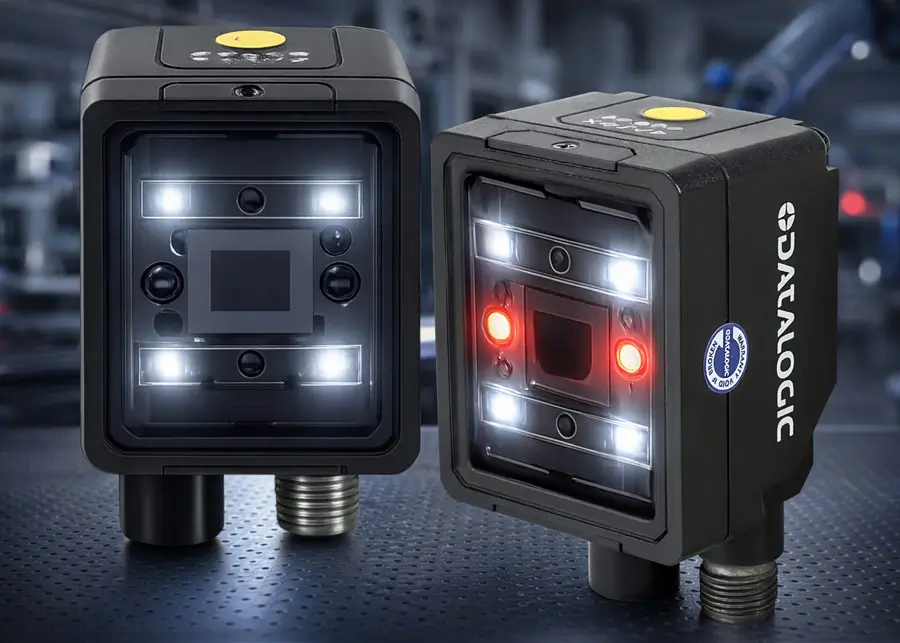
The new Smart-VS Plus sensor offers all the features of the standard Smart-VS sensor, including Ethernet communication and several I/O points, but adds additional object classifications for a total of 3 classes, which is useful when Good / No Good / No Object tests are needed. The Smart-VS Plus imager supports up to 20 stored images and the operating range is expanded to 50-400 mm.
Datalogic’s most advanced vision sensor, the Smart-VS EVO, includes everything the Smart-VS Plus offers, plus support for a 6-class classification including anomaly detection, and the imager stores up to a total of 50 images. It provides the same long-range operating distance (50-400 mm) but includes an additional output for a total I/O count of 4 outputs and 2 inputs.
These new sensors come with a 3-year warranty and boast the same easy setup as the basic Smart-VS sensor, using a web-based GUI that requires no specialized training or experience.
The new Datalogic Smart-VS vision sensors start $1,192.00 (959970005).
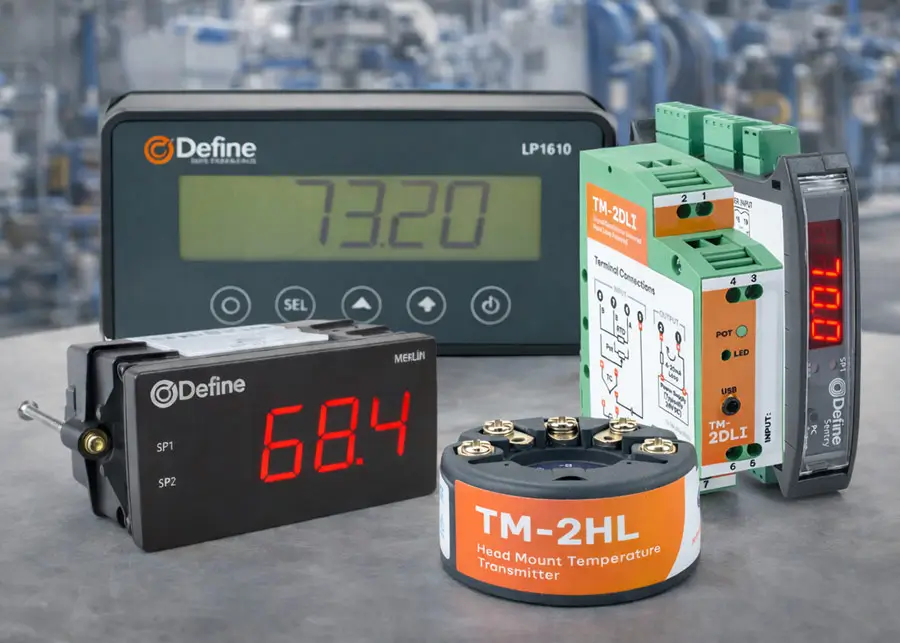
Define Instruments digital panel meters, signal conditioners, and temperature transmitters feature versatile measurement options and easy configuration. The Merlin series digital panel meters accept current, temperature, voltage, potentiometer, and pulse inputs and provide advanced scaling, linearization, and optional analog retransmission or relay outputs. A bright LED display, IP65 front rating, and USB-powered configuration via Define’s toolbox software make the Merlin series a versatile solution for process monitoring and control.
The LPI610 series loop-powered digital panel meter features a compact, front-mount display that requires virtually no space behind the panel. It offers a high-resolution LCD with selectable units, simple pushbutton setup, built-in diagnostics, and an IP65 front rating, making it a clean, reliable option for 4-20 mA loop indication.
The Javelin series loop-powered signal conditioner supports a wide range of input types and provides a standard 4-20 mA output for easy integration. This DIN-rail mounted conditioner features a slim 12.5 mm profile that maximizes cabinet space.
TM series signal conditioners provide universal input support with isolated voltage/current outputs or loop-powered 4-20 mA operation, depending on the model. Their straightforward software configuration, flexible power options, and narrow DIN-rail housings simplify integration into dense control panels.
Sentry series signal conditioners feature universal inputs, DIN-rail mounting, dual relay outputs with optional analog retransmission, and a convenient 4-digit LED display for real-time monitoring and fault indication. With selectable modes for heating, cooling, alarm, and pump-duty control, the Sentry series delivers process controller capability in a compact form factor.
TM-2HL series head-mount temperature transmitters provide accurate 4-20 mA outputs for RTD, thermistor, and thermocouple sensors in standard DIN Form B heads. These loop-powered modules offer fast response, low drift, configurable failure modes, and USB programming for quick commissioning.
Define Instruments temperature transmitters start at $54.00 (DEFINE-TM-2HL), digital panel meters start at $235.00 (DEFINE-MERLIN), and signal conditioners start at $171.00 (DEFINE-JAVELIN).
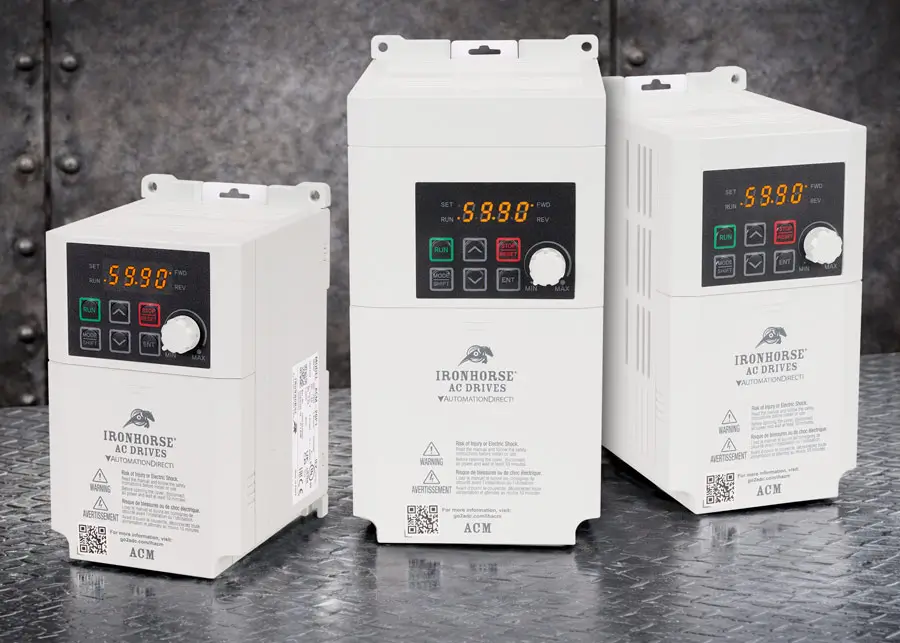
IronHorse ACM series AC drives provide basic V/Hz and sensorless vector control for low-horsepower motors when only single-phase power is available.
These VFDs accept a 120 VAC or 230 VAC single-phase power source and control motors from 1/8 to 3 horsepower. 5 digital inputs, 2 relay outputs, 2 analog inputs, and 1 analog output are standard, along with dynamic braking circuitry. These drives support advanced features normally only found on more expensive drives, such as PID control, 2-motor control, fire mode, momentary power loss restart, and can be password protected to prevent unauthorized changes to the configuration. Programming can be accomplished through the built-in keypad (remote keypad optional) or with the free VFD Suite software. If you are short on space, these drives support zero-stack installation and don’t require spacing between adjacent ACM drives.
Also added is the ACN‑ECAT module that enables any IronHorse ACN series drive to communicate effortlessly over EtherCAT for faster, more integrated motion control.
IronHorse ACM AC drives start at $125.00 (ACM-20P1); the ACN EtherCAT module is priced at $189.00 (ACN-ECAT)
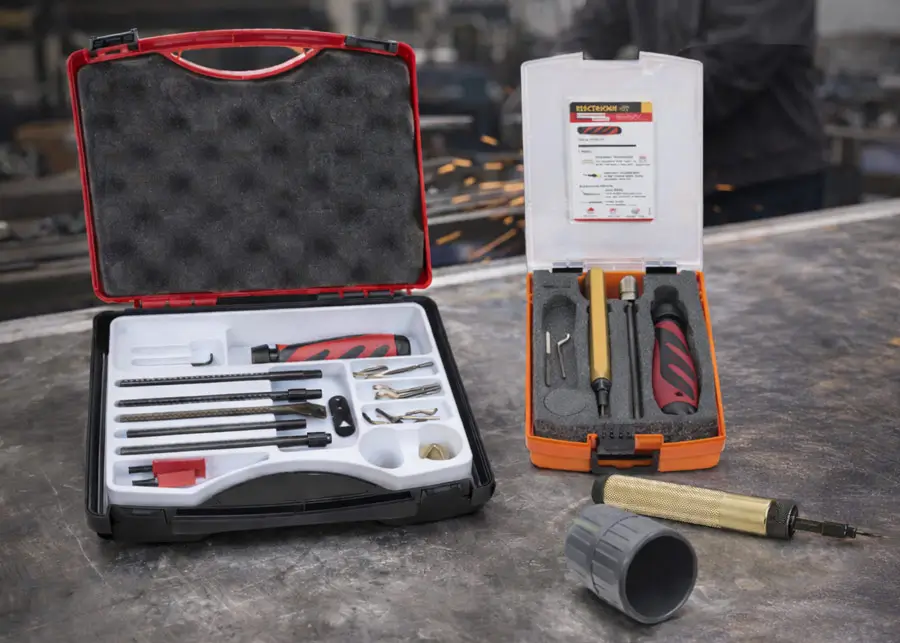
Shaviv deburring tool sets offer complete turnkey solutions for professionals who need multi-material capability right out of the box. The premium 21-piece (154-00024) and 12-piece sets (154-90085) feature ergonomic universal handles, extendable blade holders, and a comprehensive selection of rotating B- and E-series blades—ensuring you have the right tool for straight edges, hole edges, cross-holes, and more. For high-demand operations, the expanded Heavy-duty and Mango IIB/IIE tool sets provide advanced ergonomics in compact form factors that accept blades directly, which is ideal for tight spaces and repetitive use. These configurations offer increased control and quick blade changes while maintaining rugged reliability.
Shaviv tools offer high-speed steel blades with excellent durability or TiN-coated blades that provide superior wear resistance for stainless steel and other hard metals. F-series countersinkers feature a conical cutting geometry, creating a clean chamfer while removing burrs from drilled or punched holes. Specialty R10 blades have a scraping geometry designed for deburring straight edges and sheet metal in both stroke directions. The Ceramix Q10 ceramic deburring tool is engineered specifically for delicate plastic and wood surfaces with a retractable ceramic blade that stays sharper longer and fits standard utility knife handles.
Shaviv deburring tools start at $5.00 (155-29081).
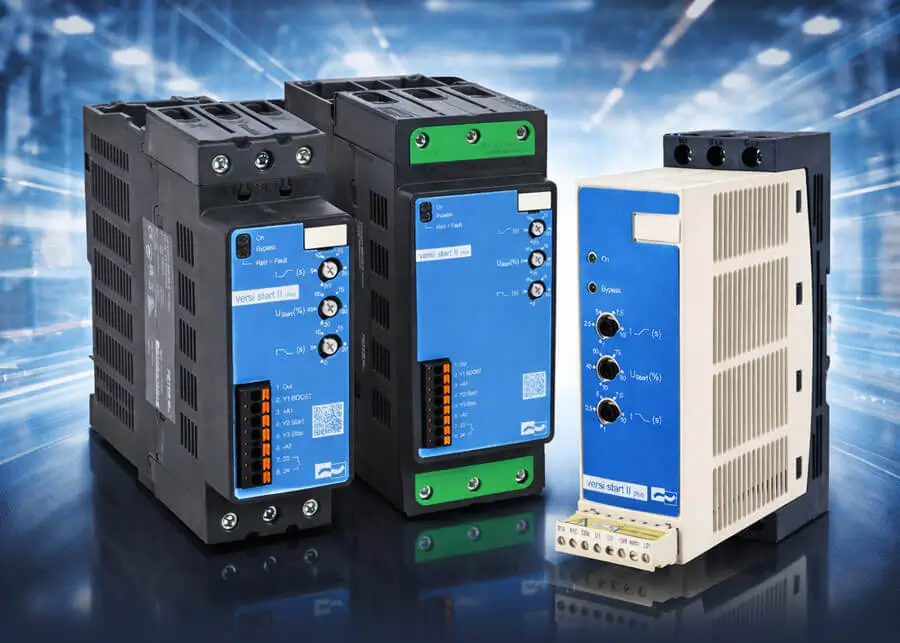
Peter Electronic VSII Plus soft starters provide durability, a high number of starts/hour, and a simple setup for standard or light-duty applications up to 105A. Quick configuration is achieved by adjusting the positions of 3 trim pots, and status LEDs indicate the units' operational status. Built-in DIN-rail mounting and quick-connect I/O wiring terminals make electrical installation easy.
These soft starters are powered from any three-phase 200-480 VAC power source. They operate using microprocessor control of two phases with thyristors, then switch over to line voltage using internal bypass contactors. Every model offered has a compact frame that is 45mm wide for 6-32 amp models, 55mm wide for 38-65 amp models, and 81mm wide for 80-105 amp models. They are suitable for use with any Class 5 or 10 soft starter application. An optional fan is also available for 38-105 amp models, which doubles the starts/hour rating.
Peter Electronic VSII Plus soft starters start at $185.00 (26300.48006).
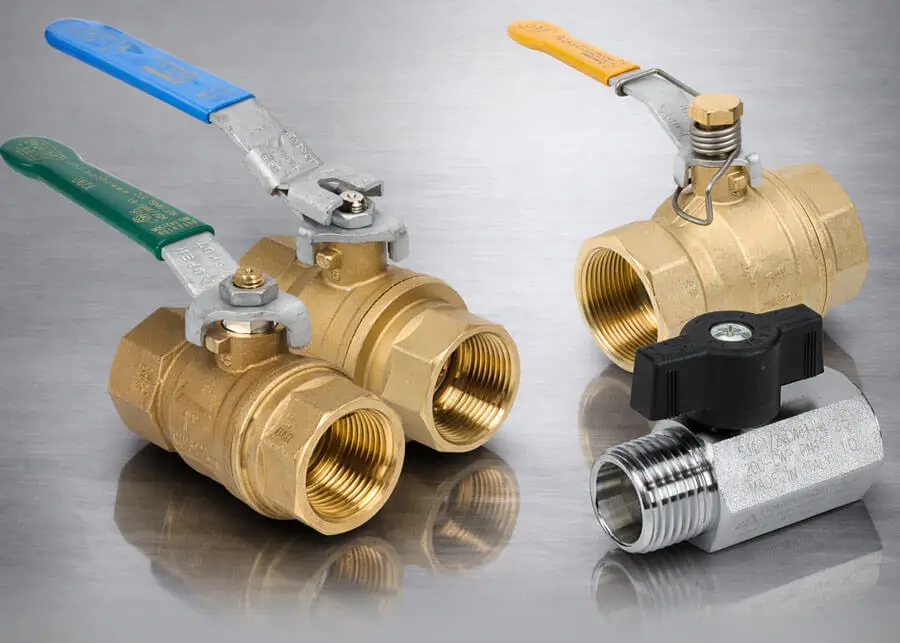
RuB manual ball valves bring unmatched versatility, performance, and reliability to fluid and air control applications with a lifetime warranty. The available offering spans everything from compact micro and mini valves, perfect for tight space OEM builds, to high flow industrial options engineered for demanding environments.
General purpose models feature rotary, T handle, lockable, and spring return handle options to tailor operation to system needs. 3 way pneumatic models introduce easy circuit switching with integrated exhaust ports and a lockable rotary handle.
For potable water systems, the lead free brass body T292 series valves ensure safe, compliant, and long lasting performance. With a full range of replacement and specialty handles to customize ergonomics and functionality, RuB delivers a comprehensive, ready to deploy solution designed to elevate system reliability and simplify integration across industries.
RuB Manual Ball Valves start at $5.50 (S39AX0M).
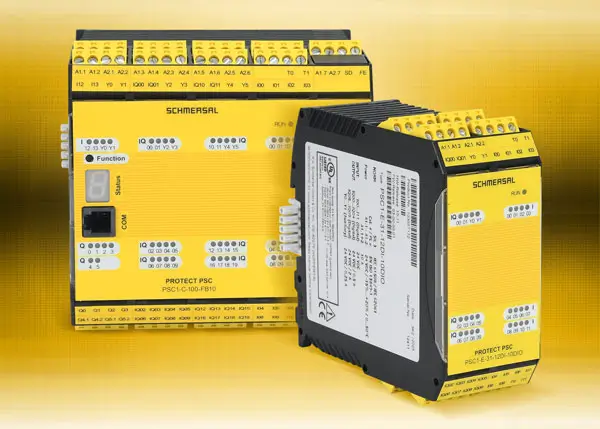
The Schmersal PROTECT PSC1 safety controller is a compact safety control system with scalable I/O from a trusted leader in machine safety. E-stops, light grids, and almost any safety device can be monitored with ease, and the universal interface ensures instant connection to every standard fieldbus.
The base models, PSC1-C-10 and PSC1-C-100, include 14 safe inputs up to PL e or SIL 3, 4 adjustable safe semiconductor outputs, 2 safe relay outputs, and 2 pulse outputs. The PSC1-C-10 includes 2 signaling outputs, and the I/O can be expanded by adding up to 2 expansion modules. The PSC1-C-100 adds 6 signaling outputs and 20 adjustable safe I/O points. This more advanced model can be expanded by adding up to 8 expansion I/O modules. Both models have the option for built-in fieldbus support for EtherCAT, PROFINET, and EtherNet/IP or Modbus TCP, depending on the model selected, so no additional communications modules need to be purchased.
Schmersal PROTECT PSC1 safety controllers start at $777.00 (PSC1-C-10).
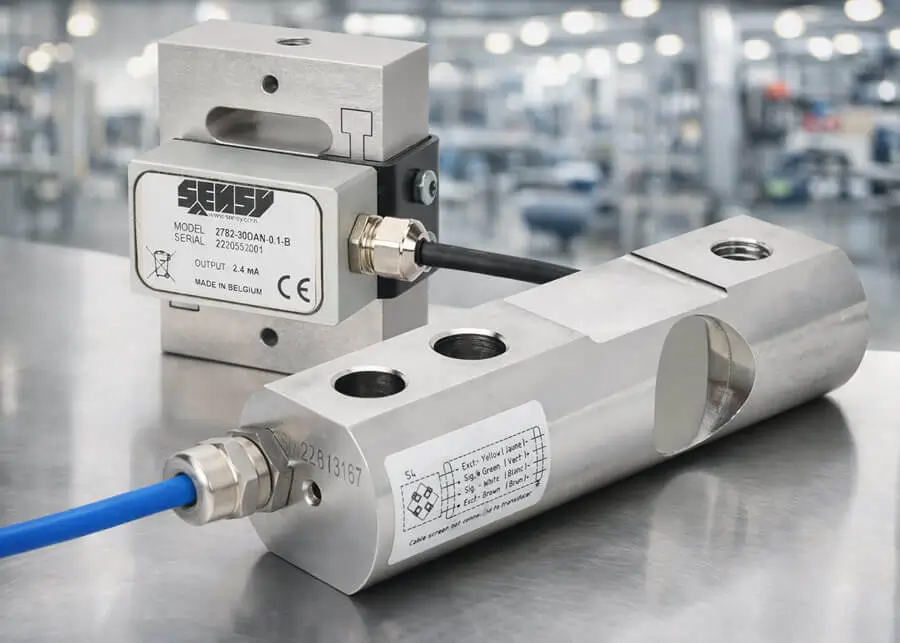
Sensy 2172L series single point, 5510 series shear beam, and 2782 series tension/compression load cells deliver flexible solutions for weighing and force measurement. They are ideal for applications ranging from small packaging scales to rugged industrial tanks and conveyor systems.
Built from aircraft-grade aluminum or stainless steel, these models feature built-in overload protection, accuracies down to 0.03% of full scale, protection ratings up to IP67, and capacities up to 2000 kg (4409 lb). Single point cells, ideal for scales and batching systems, and compact tension/compression units, that measure bi-directional force in a robust, space-saving design, come with industry standard 4–20 mA outputs for easy integration into process control systems.
Shear beam designs offer millivolt signals (which may require a signal converter or PLC load cell input module) and provide heavy-duty performance for hoppers and vessels.
Sensy load cells start at $159.00 (5510-500KG-A3-K).
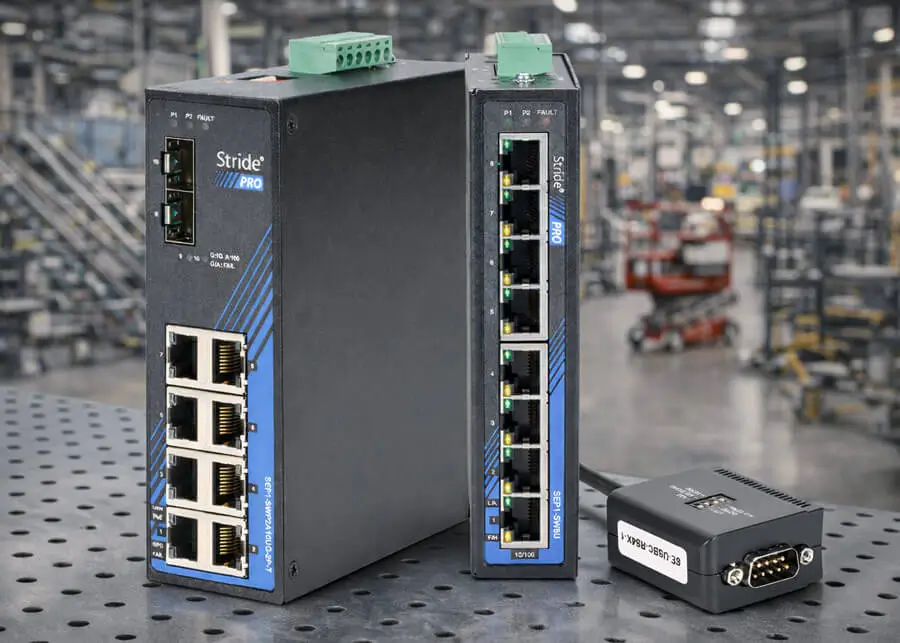
STRIDE PRO Unmanaged+ industrial Ethernet switches are a step up from basic unmanaged switches, adding efficient network optimization with IGMP snooping (traffic prioritization), port monitoring, port alarms, VLAN support, and more.
IGMP snooping ends network flooding by transmitting data only to the specific devices requiring it. Port mirroring takes a view of your network and sends a copy of all the traffic from a selected port to a monitor port, which can be used for diagnostics. The port alarm feature watches for cable connections and sends an alarm signal anytime the Ethernet port connection status changes, an unauthorized device is connected, or an authorized device goes offline. This signal can be used to activate an audio and/or visual signaling device to notify personnel. STRIDE PRO models include PoE, PoE+, and Gigabit Ethernet options with up to 12 ports.
Also added is a STRIDE industrial unmanaged switch with (8) IP67 10/100Base-T M12 Ethernet ports, USB A and USB C adapter cables with 9-pin D-sub male connectors for RS-232/RS-422/RS-485 serial connections, and a DIN rail mounting bracket for STRIDE PRO switches.
STRIDE PRO Unmanaged+ switches start at $98.00 (SEP1-SW5U), the STRIDE IP67 unmanaged switch is priced at $449.00 (SE3-SW8U-N67-T).
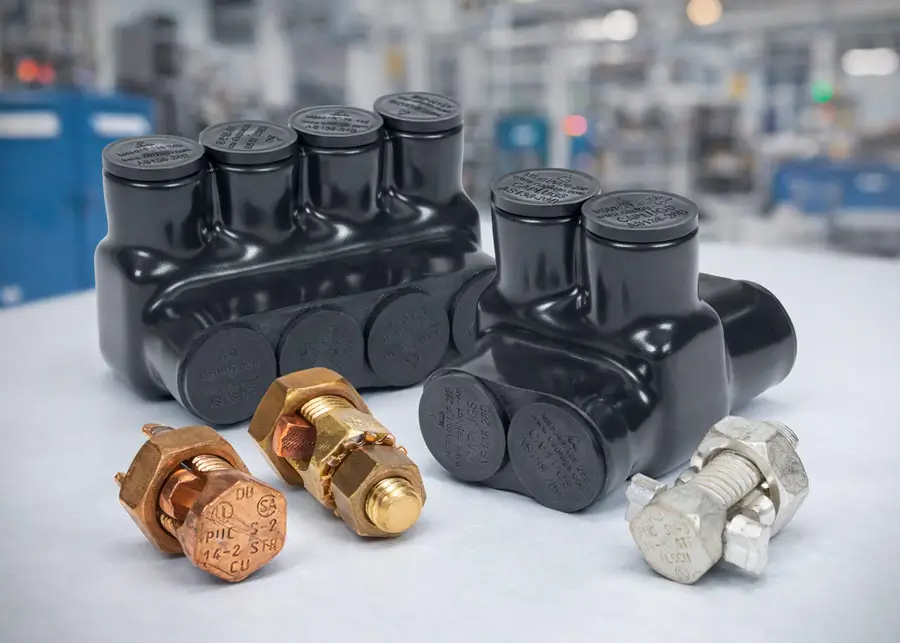
Penn-Union split bolt connectors deliver a secure, long‑lasting connection for two conductors in a wide range of power distribution applications. With options engineered to handle multiple wire gauges and material combinations—including CU‑CU, CU‑AL, and AL‑AL—they offer the flexibility installers need on every job.
Aluminum, black pre-insulated power bars and in‑line splicers/reducers are engineered to handle two to four conductors in AL‑AL, AL‑CU, or CU‑CU configurations. Designed for broad compatibility and with a rugged construction and dependable insulation, these connectors provide a clean, reliable solution for modern power distribution needs.
Bronze service post connectors deliver outstanding conductivity thanks to their premium high‑copper wrought alloy construction. Built for versatility and long‑lasting reliability, these connectors create a solid, dependable link between copper cables and steel structures, bus bars, transformers, or electrical enclosures.
Mechanical connector oxide inhibitors are specially formulated to block oxidation and corrosion before they start—ensuring long‑term performance and reliability. They’re essential when working with aluminum or any combination of dissimilar metals, creating a cleaner, more stable connection that keeps your system running at peak efficiency.
New Penn-Union mechanical connectors start at $2.25 (S-10-1) oxide inhibitors start at $16.00 (1/2PT10CUALGEL-1)
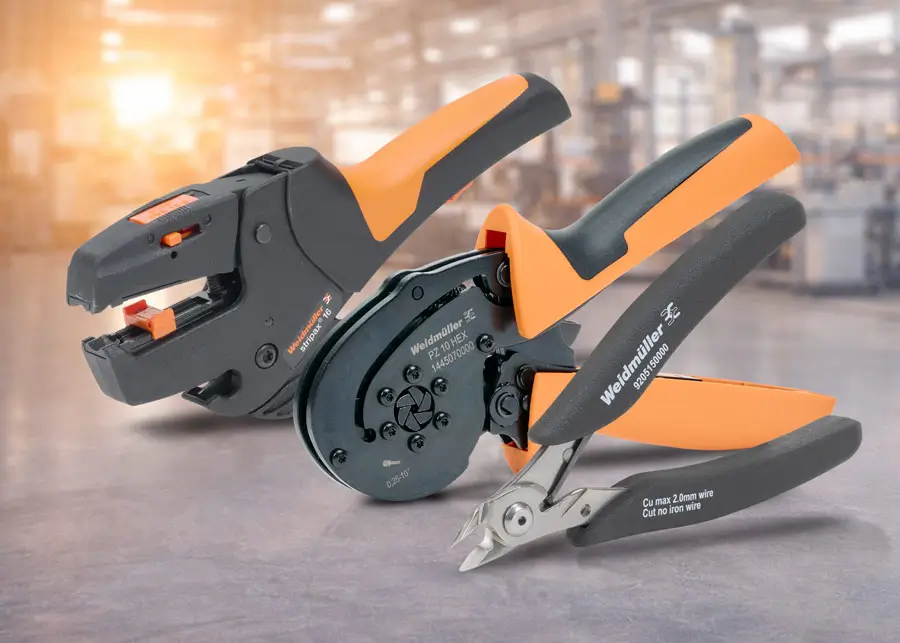
Stripping, cutting, and crimping tools from Weidmuller are designed to streamline wiring tasks with greater speed, precision, and consistency. The STRIPAX PLUS 2.5 combines cutting, stripping, and ferrule crimping in one compact tool, allowing complete terminations with minimal motion. Linked ferrule strips (sold separately) feed automatically into the crimp position, while the integrated ratchet mechanism ensures uniform, gas tight terminations.
New Weidmuller automatic cutting and stripping tools adapt to different conductor types, preventing strand damage while producing repeatable, accurate strip lengths. Adjustable length stops, fast jaw opening, and replaceable blades help support long term durability and high volume use. For delicate or specialty wiring, precision wire strippers handle 32–18 AWG conductors using blade profiles tailored for PVC, PTFE, and silicone insulation. Dedicated cable stripping tools for round, data, and coaxial cables feature adjustable cut depths with heavy duty models supporting cable diameters up to 999 mm.
A selection of self-adjusting crimping tools is also available and offers trapezoidal, hexagon, square, and indent crimp profiles for permanent connections between stranded conductors and wire-end ferrules. Rotating die heads on select models allow access to ferrules from any angle in tight enclosures.
New specialty screwdrivers from Weidmuller, including the SWIFTY cutting and stripping screwdriver and terminal block actuation screwdrivers, are optimized to perform specific tasks. Cable shears, diagonal cutters, folding knives, and electrician’s scissors allow one-hand mechanical operation for convenient use in tight spaces.
Weidmuller specialty screwdrivers start at $16.00 (2749570000), cutting and stripping tools start at $30.50 (9918160000), and crimping tools start at $165.00 (9005990000)

TE Connectivity snap-on markers are “C” profile wire labels designed for quick and easy application onto wires that are already terminated. These markers can be applied or changed without disconnecting the wire, offering significant time savings compared to on-site printing or handwriting for small jobs. Each marker is pre-printed with an individual character for clear legibility and is available in black on yellow or black on white color options. Designed to fit wire sizes ranging from 22 AWG to 10 AWG, the markers feature alignment notches for precise placement and are built to withstand harsh environments. Markers come preloaded on applicators that are designed to simplify installation and prevent over-expansion.
TE Connectivity snap-on markers start at $11.50 (STD03-300-0-WH-AD)/ 300pk.
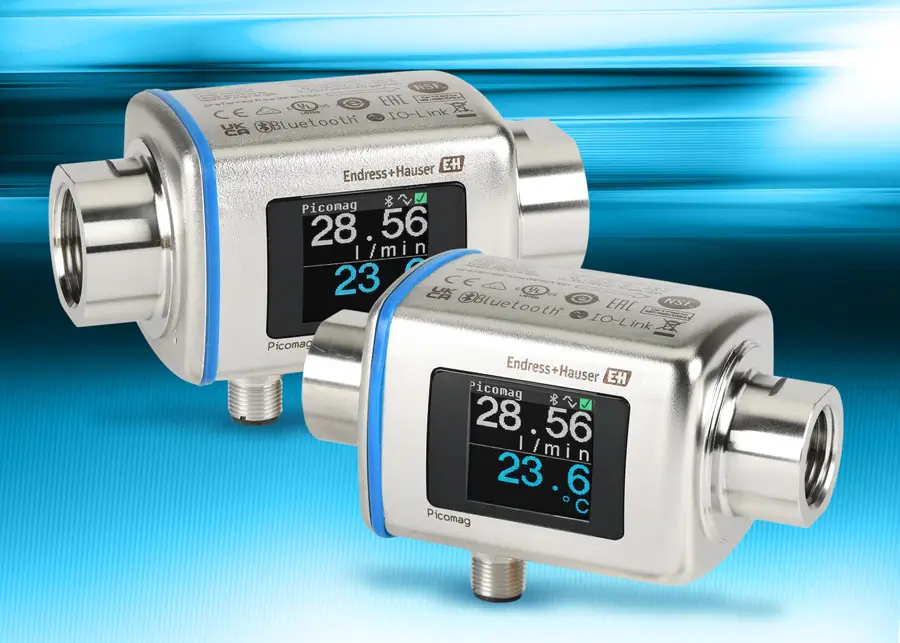
The new Endress+Hauser Picomag magnetic‑inductive flowmeters with EPDM seals enable additional applications beyond those supported by the existing FKM seals.
Picomag series flow meters measure conductive liquids (≥10 μS/cm) up to 198 GPM, and simultaneously monitor flow, temperature, and volume. They include two configurable I/O points supporting analog, pulse, switch, or IO-Link communication, and feature a full-color, TFT display. Configuration and monitoring can be performed wirelessly via the free Bluetooth® SmartBlue App. The IO-Link interface provides seamless integration into established fieldbus systems, direct access to process and diagnostics data, and "on the fly" device configuration.
The new Picomag series magnetic-inductive flow meters start at $598.00 (DMA15-AAADA1).
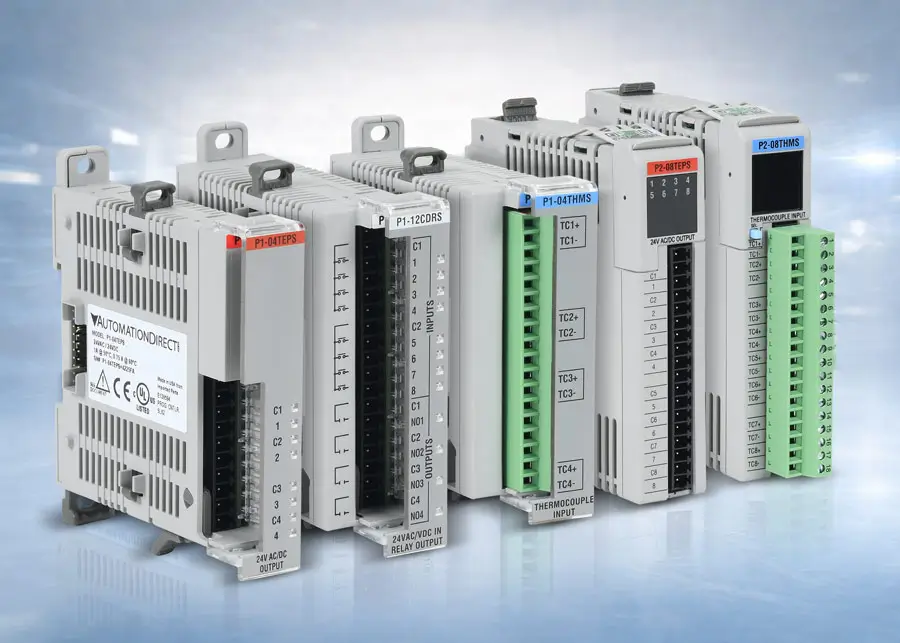
The new P1-04TEPS and P2-08TEPS modules provide solid state relay options for the Productivity1000 and Productivity2000 PLC families. These modules are ideal for applications requiring extensive or extremely fast load switching and offer longer lifespans, greater reliability, near-instantaneous switching, and less electrical noise than electromechanical relays due to their lack of moving parts.
The new Productivity1000 P1-04THMS and Productivity2000 P2-08THMS thermocouple modules feature 16-bit resolutions and inputs that support numerous thermocouple types. These modules are designed with input isolation for better accuracy in electrically noisy environments.
The new P1-12CDRS discrete/relay combo module for the Productivity1000 system combines higher current Form A (SPST) relays (5A/point) with eight 24 VAC/VDC discrete inputs, providing dual purpose I/O for cost and space savings.
The new solid state relay modules start at $118.00 (P1-04TEPS), the isolated temperature modules start at $219.00 (P1-04THMS), and the higher current discrete/relay combo module is priced at $120.00 (P1-12CDRS).
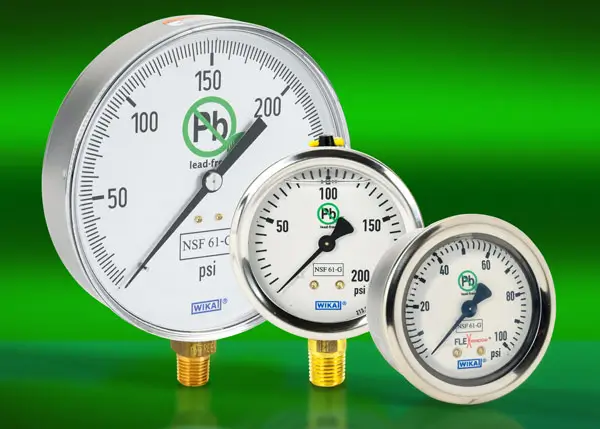
New WIKA NSF-certified mechanical pressure gauges deliver precision and reliability for drinking water and food and beverage applications. The lineup includes dry and liquid-filled mechanical pressure gauges with lead-free wetted parts, as well as manual needle valves for instrument isolation and flow control.
WIKA pressure gauges meet NSF/ANSI 61 and 372 and accurately monitor pressure from vacuum to 300 psi. Select models feature a patent-pending FlexWindow™ face that allows the gauge to be completely filled, eliminating the air gap for improved readability.
WIKA needle valves make maintenance simple. They feature a rugged 316L stainless steel construction, allow equipment isolation without shutting down the process, and provide precise flow control across a wide range of pressures and temperatures.
WIKA potable water pressure gauges start at $22.00 (76249856); needle valves start at $116.00 (76250396).
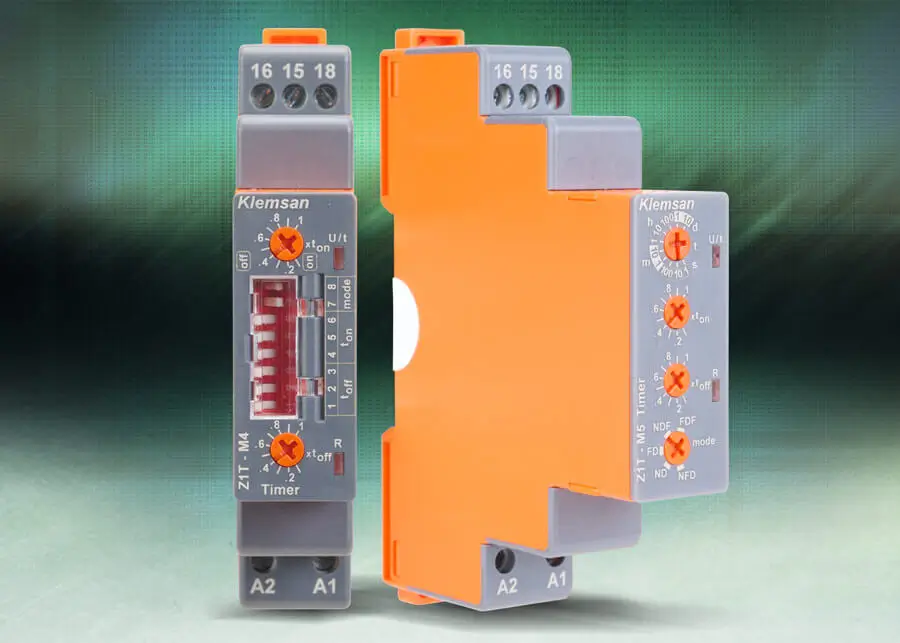
Klemsan TDS series timer relays offer a comprehensive selection for various timing needs, including single-function timer relays for dedicated timing tasks, multi-function timer relays that provide flexibility with up to 10 adjustable modes, and special-function timer relays tailored for applications such as motor control and sequential switching. All models share a compact 18mm housing, 35mm DIN-rail mounting, LED indicators, wide voltage compatibility, IEC compliance, and robust relay outputs, ensuring reliable and easy integration into automation systems.
Klemsan TDS series timer relays start at $16.75 (Z1A-ND30S)
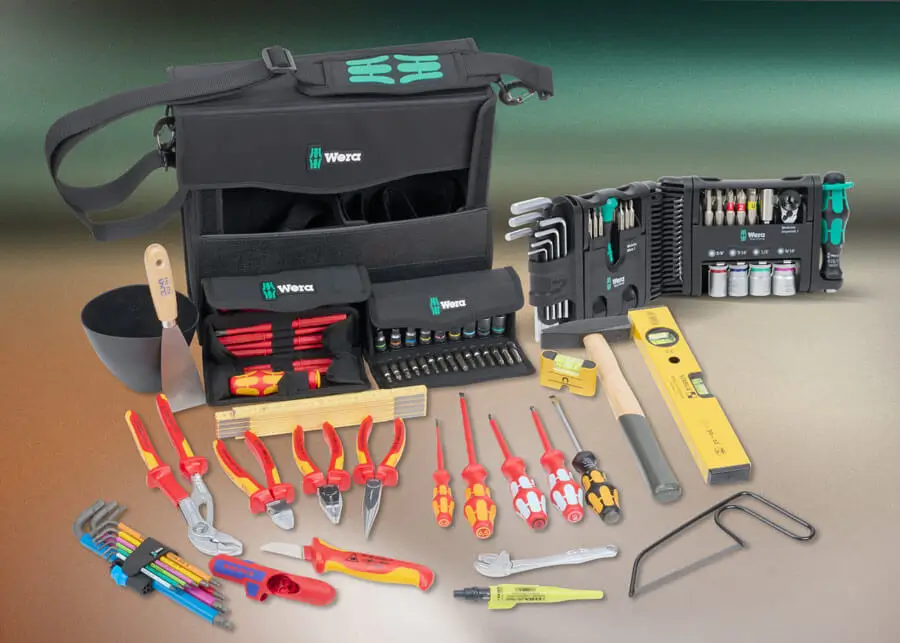
New Wera foam tray tool sets offer utmost organization and accessibility, with each tray featuring a durable foam construction, clear tool outlines, and color-coding for quick identification and inventory control. Modular sizing allows seamless integration into drawers, tool chests, or mobile workstations. Options include insulated and precision screwdriver trays, multi-bit driver trays, hex key trays, adjustable wrench trays, combination wrench trays, and ratchet and socket trays.
The new 73-piece electrician’s tool set includes a 3-piece tool carrying case and a selection of tools curated specifically for electricians.
More of Wera’s Tool-Check Modular storage system is also now available, including a variety of tool sets with screwdrivers, hex keys, socket sets, and more to fit a range of applications on the go. The new adapter and hinge accessories provide stable, compact connections between storage modules and the ability to fold the system for space-saving storage.
Tool-Check Modular system tool sets start at $22.00 (05049003001); foam tray sets start at $187.00 (05150102001); and the electrician set is priced $1,685.00 (05134025001).
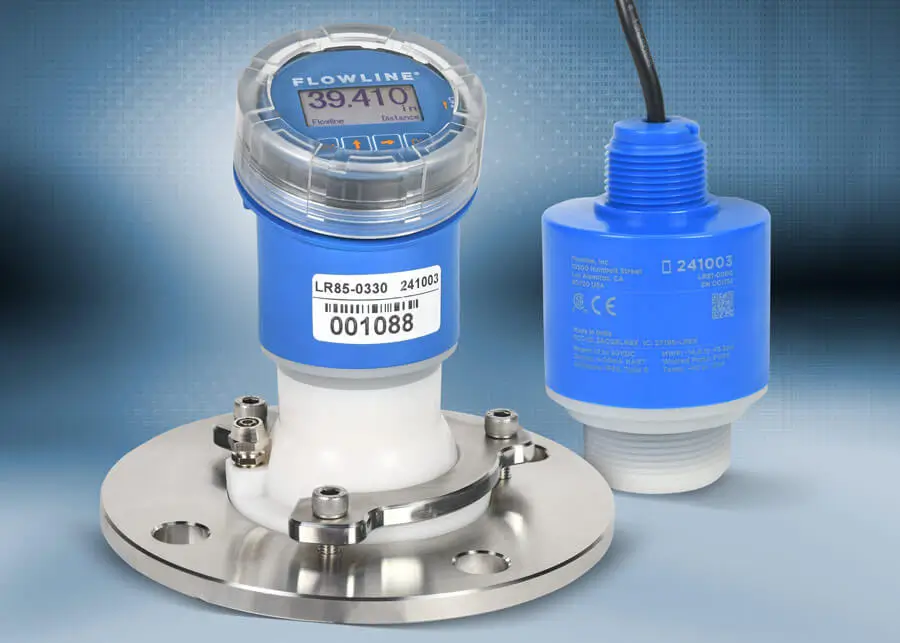
The additional Flowline LR80 series EchoBeam FMCW radar level sensors increase sensing ranges up to 393.7 ft (120 m) for liquids and 196.8 ft (60 m) for bulk solids. These sensors are built on Frequency Modulated Continuous Wave (FMCW) technology and deliver reliable, high-precision level measurement.
They offer a standard 4–20 mA output with optional HART communication and are available with 1-1/2 in. male NPT, 3 in. male NPT, or 3 in. ANSI flange process connections for flexible installation options. Select models feature a convenient LCD display with pushbuttons for simple configuration and level indication.
The versatile EchoBeam sensors are ideal for applications such as tanks, sumps, lift stations, weirs, canals, reservoirs, bins, or transfer stations; they can even measure through the top wall of plastic or fiberglass tanks. The wireless LevelTap™ app connects via Bluetooth for easy configuration and quick access to level information, status updates, and settings from the safety of the ground or a nearby catwalk.
The new Flowline EchoBeam FMCW level sensors start at $955.00 (LR81-0000)
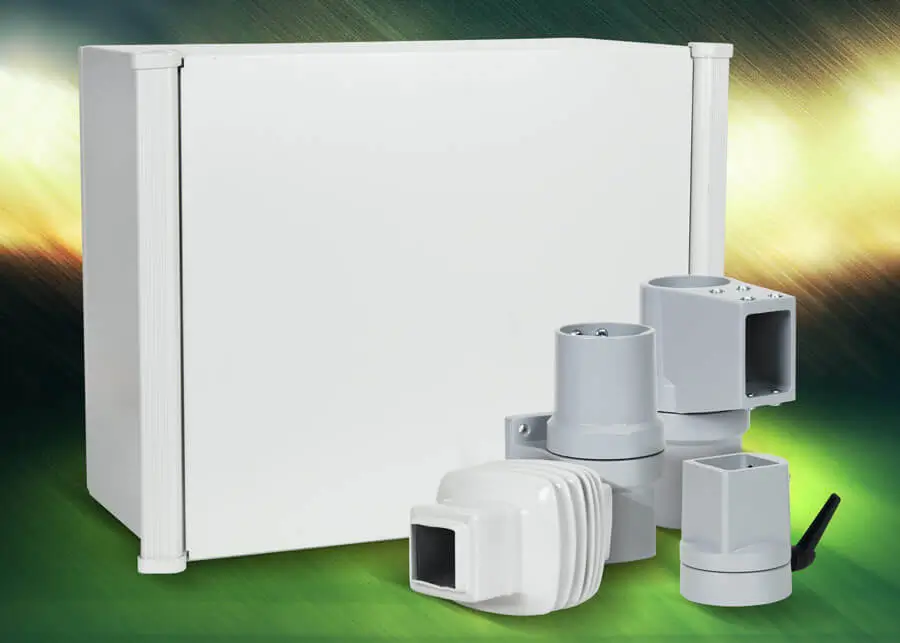
Hammond Aluminum Command Enclosure (ACE) series HMI enclosures offer a versatile solution for housing your HMI devices. Designed for maximum flexibility, these enclosures feature removable front panels for easy machining, quarter-turn latches for secure closure, and oil-resistant gaskets for superior protection. Constructed from durable Type 5052 H-32 aluminum with a smooth powder-coated finish, ACE enclosures meet NEMA 12 and 13, UL 508A Type 12, and IEC IP54 standards, ensuring reliability in demanding environments. Available in multiple sizes (from 12" x 12" x 6" up to 20" x 24" x 12"), they are compatible with both taraPLUS and Heavy Duty suspension arm systems for ergonomic positioning.
The taraPLUS suspension arm system offers sleek, modular arms with steel profiles, die-cast aluminum joints, and integrated wire management to create custom assemblies that improve operator comfort and efficiency. For larger installations, Hammond Heavy Duty suspension arm systems deliver enhanced load capacity with 50mm and 80mm square profiles, ideal for supporting bigger enclosures. Built for strength and durability, these systems feature die-cast aluminum and iron fittings, and are rated up to IP65 for superior protection.
Hammond suspension arm system components start at $205.00 (R140-045-000R) ACE series HMI enclosures start at $949.00 (ACE12126LG)
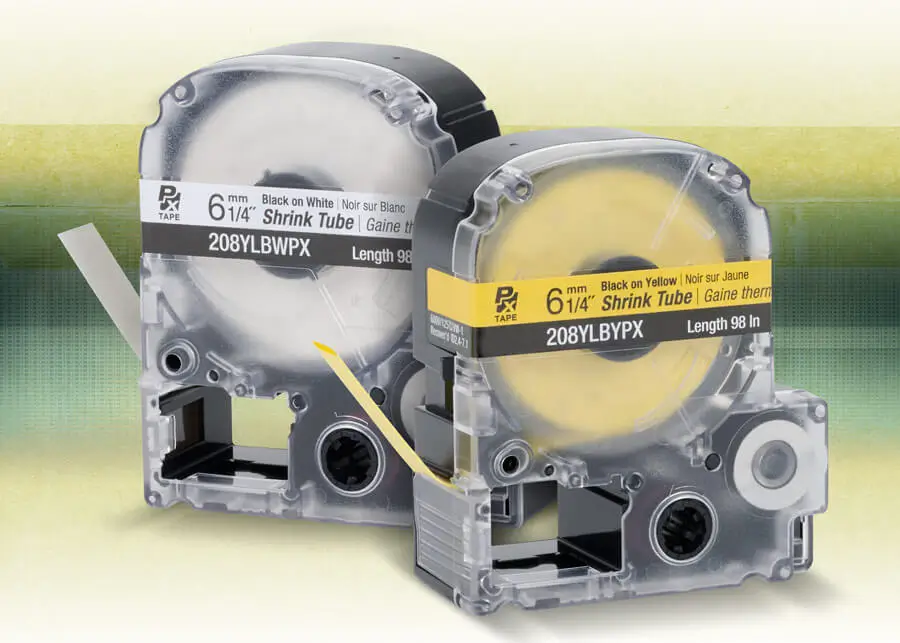
Epson LabelWorks heat-shrink tube labels offer a durable, professional, and permanent labeling solution. The tubing shrinks tightly around wires, providing both clear identification and protective insulation, which helps reduce maintenance errors and downtime. Designed for easy printing with Epson LabelWorks PX printers, they save time, improve organization, and ensure compliance with safety standards. Unlike adhesive labels that can loosen or wear off, Epson’s heat shrink tubes deliver long-lasting, heat- and chemical-resistant labeling, making them ideal for demanding electrical, data, and manufacturing applications.
New Epson LabelWorks heat-shrink tube label cartridges are priced at $31.50 (208YLBWPX)
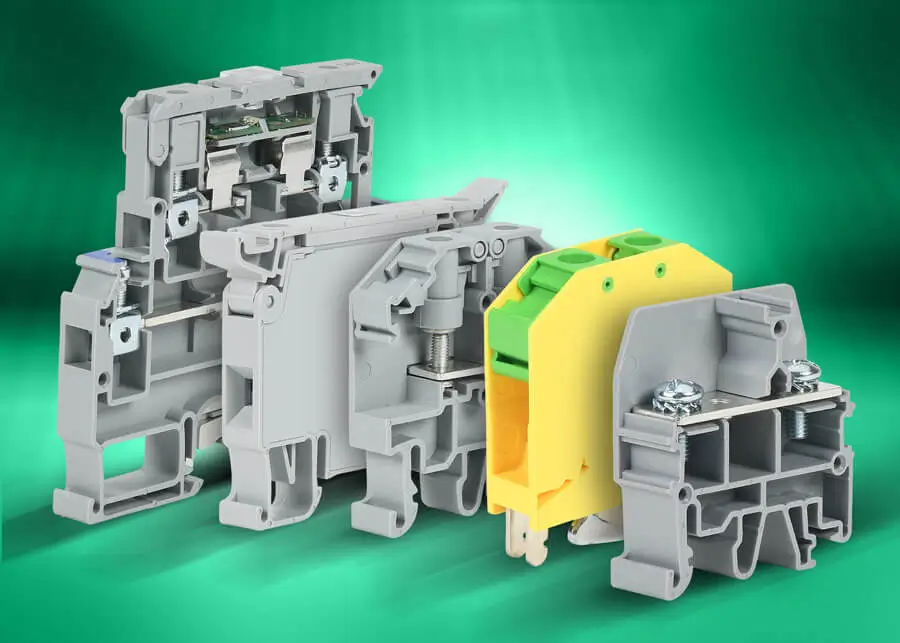
More innovative terminal block solutions are now available, designed for flexibility, safety, and space efficiency. New fuse holder options offer a fully enclosed design for 5 x 20 mm or 5 x 25 mm glass fuses up to 10A, with jumper capability for streamlined power distribution. Triple-level multi-function fuse holders provide circuit protection, feedthrough connections and grounding in one single unit. New ring and fork terminal blocks simplify wiring with stud sizes from M3 to M6 and ratings up to 85A at 600 VAC/VDC, while quick connect blocks provide fast, organized connections—perfect for applications demanding speed and reliability.
Konnect-It screw-type accessories, including end covers, separators, and multi-pole jumper bars, ensure safe and organized installations that meet UL, CSA, and CE standards. Built for durability and ease of use, Konnect-It screw-type terminal blocks deliver corrosion-free connections, low contact resistance, and compliance with NEC and NFPA color standards.
New Konnect-It screw-type terminal blocks start at $26.00 (KN-FRK6-25)/ 25pk accessories start at $6.00 (KN-ECFRK6GRY-25)25pk
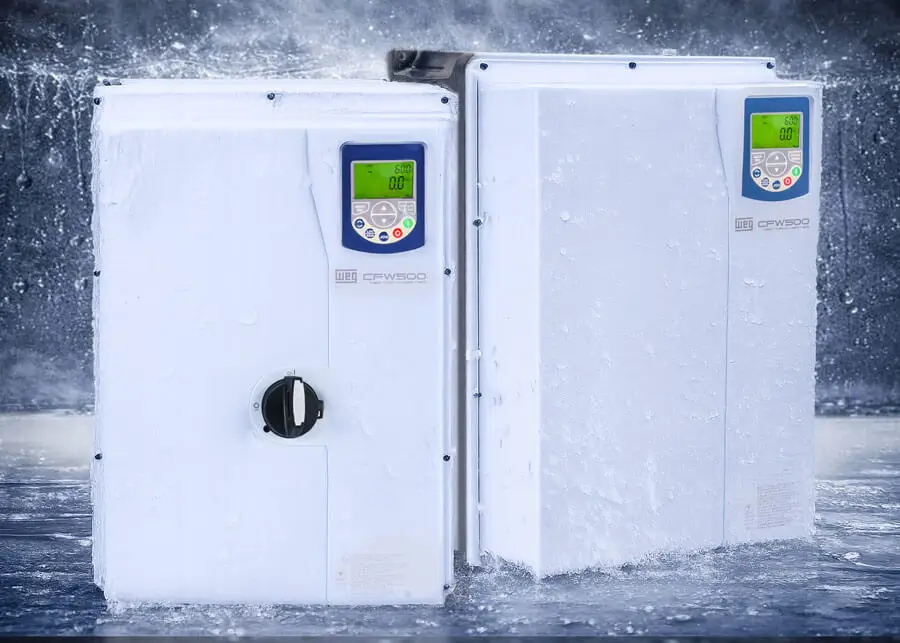
Additional WEG CFW500 washdown AC drives have been added to increase the horsepower offering of this series—up to 30 hp for the 460 VAC models and up to 20 hp for the 230 VAC models. These drives are manufactured by WEG, a well-known and trusted brand in VFDs. CFW500 drives are rated IP66 and NEMA 4X for use in the harshest environments, include a SoftPLC for custom-tailored control schemes, and support several control modes, including scalar V/F and closed-loop flux vector control.
With the inclusion of these drives, are two new communications modules. These modules provide dual-port EtherNet/IP (w/ webserver) and PROFINET network connectivity.
New WEG CFW500 drives start at $2,430.00 (16905623) and the new communication modules start at $302.00 (12892816).
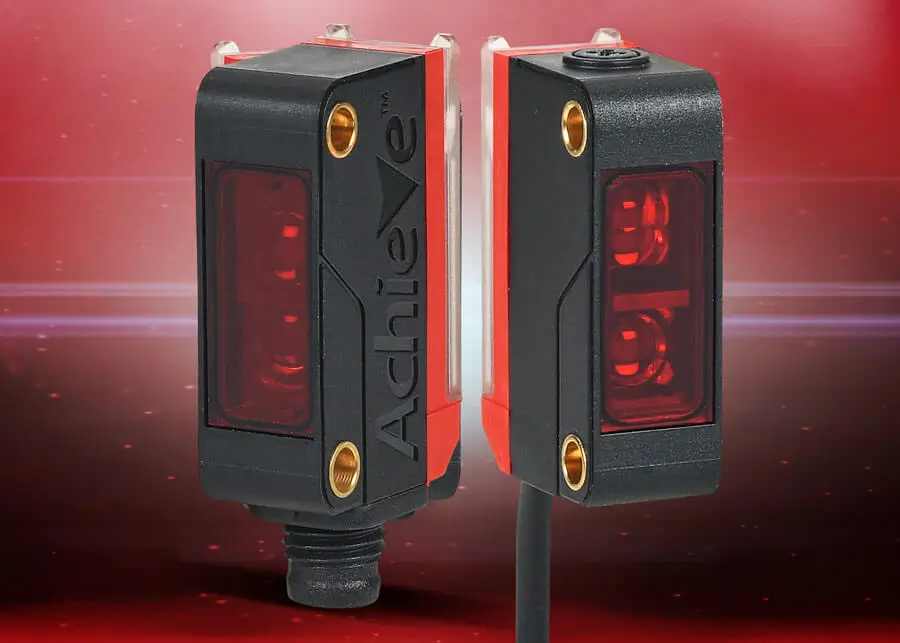
New AchieVe FBM series rectangular photoelectric sensors deliver reliable performance at a great price for a wide range of industrial applications. They feature a rugged thermoplastic construction, offer options for visible red LED, pinpoint LED, or infrared light emission, and provide sensing distances of up to 10 meters.
Offered in diffuse with background suppression, polarized retroreflective, and through-beam styles, these sensors include selectable light-on/dark-on operation, 10–30 VDC voltage range, potentiometer sensitivity adjustment, and switching frequencies up to 1 kHz.
AchieVe rectangular photoelectric sensors start at $24.00 (FBM-RP-0P-0A).
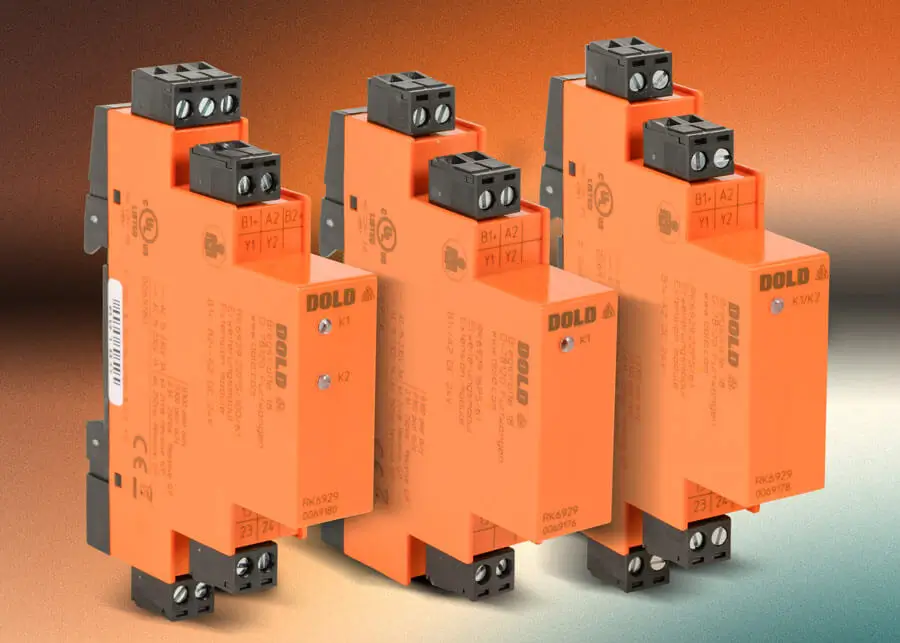
Dold RK 6929 modules are compact safety relay extension modules from the SAFEMASTER series. They amplify and multiply safety relay outputs while providing galvanic isolation between control and power levels. They support applications requiring safety levels up to Cat. 4 / PL e or SIL 3 and are ideal for machine building and firing systems.
These safety relay extension modules offer forcibly guided contacts (IEC 61810-2) for safe diagnostics, Interface Type C Class:1 (compatible with semiconductor safety outputs), and come in a space-saving package that is only 17.5 mm wide.
New Dold RK 6929 safety relay extension modules start at $73.00 (RK6929-16PS-61).
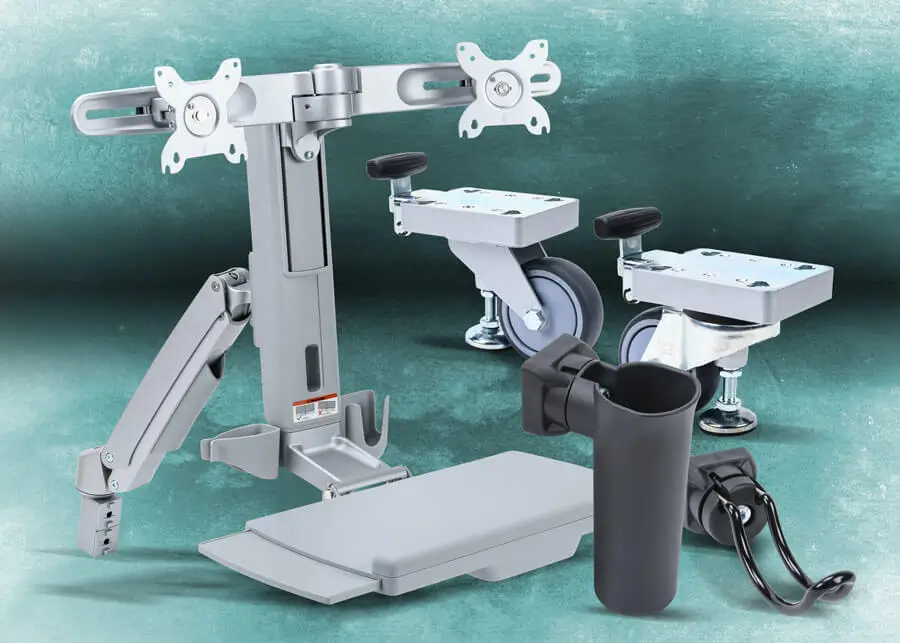
New FATH components for T-slotted aluminum rail include sleek casters with lifting foot options for mobility and stability, an ergonomic dual monitor workstation, monitor mount extensions, and a wide array of tool hooks, holders, and accessories that streamline organization and workflow. From cup holders to storage trays and fastening hardware, every component is crafted for durability and seamless integration into industrial and lean workstation environments.
These components provide practical, space-saving improvements that allow you to build smarter, more efficient workspaces.
FATH tool holders start at $5.00 (172542), lifting casters start at $175.00 (172499), and the dual monitor workstation is priced at $750.00 (172518).
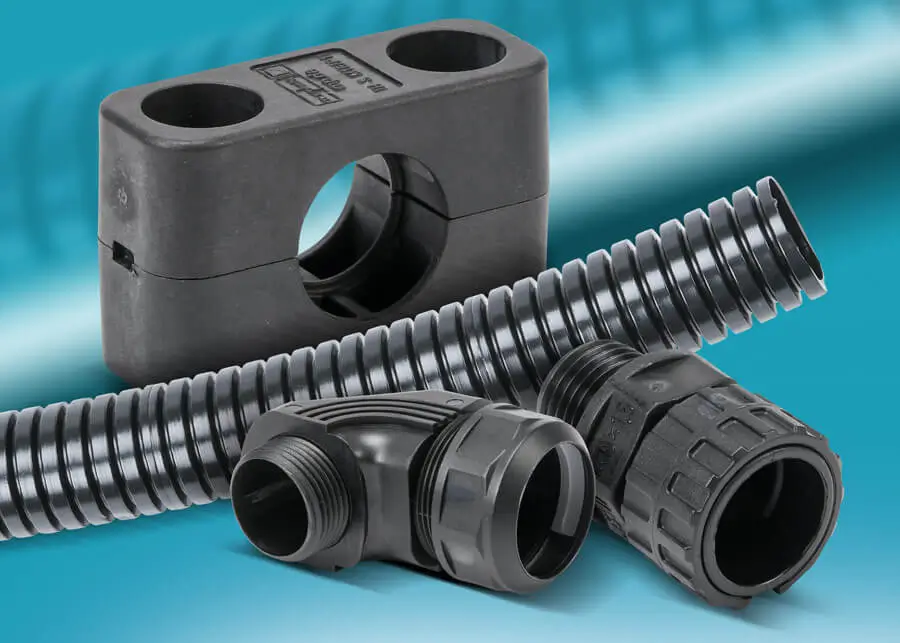
Murrplastik solid corrugated tubing provides protection, reliability, and adaptability for wire and cable in demanding environments. The EW-PAB series delivers both chemical and impact resistance for static installations under medium to high mechanical loads. Crafted from modified polyamide 6, this solid-wall tubing is flame-retardant, low-smoke, and engineered for long-term resilience in building and plant engineering. With a V0 UL 94 flammability rating and flexural fatigue strength of more than 11,000 cycles, it provides robust, low-maintenance performance.
For dynamic applications, the EW-PRF series offers superior flexibility and durability. Constructed from modified polyamide 12, this smooth-wall tubing thrives in motion-intensive settings such as robotics, automation, and aerospace. With exceptional impact resistance, a V2 UL 94 rating, and flexural fatigue strength of more than 400,000 cycles, EW-PRF delivers consistent protection where movement never stops. Both series are halogen-, phosphor-, and cadmium-free, ensuring safety, sustainability, and reliability in every application.
New Murrplastik solid corrugated tubing starts at $19.50 (838109)(32 ft. coil).
12-17-2025
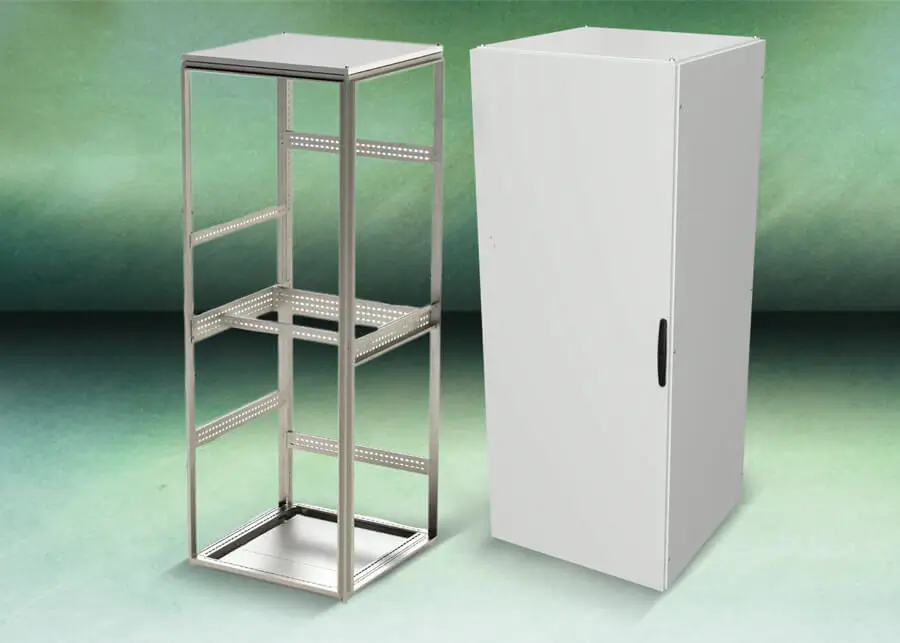
Quadritalia OK Series 2200mm Modular Enclosure Components & Additional Saginaw Touch-up Paint Colors
New Quadritalia OK series 2200mm modular enclosure base components and accessories include vertical frame rail sets, doors, side panels, rear panels, and subpanels, that are engineered to fit seamlessly together, building a highly adaptable enclosure for industrial, electrical, and data applications. Additional accessories are available to improve enclosure functionality and installation flexibility. These include side doors, as well as vertical and horizontal partition panels designed specifically for the 2200mm modular enclosure system. More plinth assemblies, swing panels, door switches, mechanical interlocks, fasteners, etc., have also been added to complement the new Quadritalia OK series modular enclosures.
14 new colors of Saginaw touch-up paint are also now available. In addition to existing enclosure colors, new colors include flame red, zinc yellow, signal white, sky blue, and more that can be used to maintain the finish of custom-colored enclosures.
Quadritalia modular base components start at $46.00 (CPR602); new Saginaw touch-up paint starts at $60.00 (SCE-TU20).
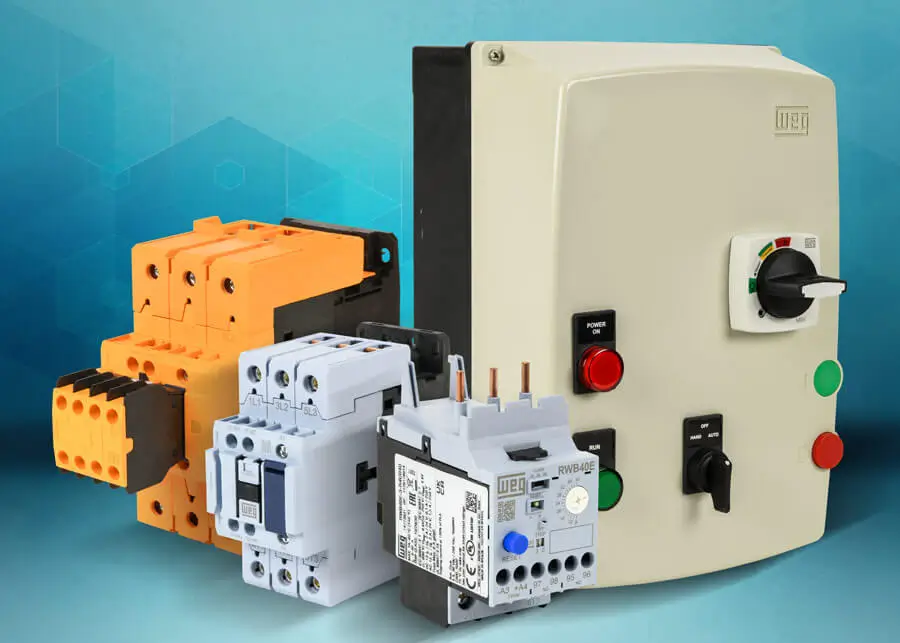
New WEG Electric CWBN series contactors are IEC-compliant and NEMA-rated, delivering robust, dependable performance in a compact IEC-style housing. They are offered at a highly competitive price, in ratings from 2 to 50 hp (95A) at 460 VAC, and meet or exceed the electrical requirements defined by NEMA ICS 2 standards for full- and reduced-voltage motor starting.
WEG Electric ESWE Series Type F combination starters feature a non-metallic NEMA 4X enclosure for protection in harsh environments. They include a manual motor protector that serves as the disconnecting means and an IEC contactor, factory coordinated for short-circuit and overload protection with full motor control in a single assembly. These full-voltage, non-reversing starters are rated from 1/2 to 20 hp at 460 VAC (38A) and provide flexible options for motor starting and control.
Additional WEG CWBS series IEC safety contactors feature contact ratings up to 125A, mechanically-linked and mirror contacts, electronic coils with wide 24-60 VAC/VDC or 110-255 VAC/VDC input ranges, and they comply with IEC and UL standards.
More WEG RWB40E series electronic overload relays are offered in ratings up to 40A and feature remote reset capability via a 24 VDC input from an external pushbutton or PLC output. These self-powered overload relays mount directly on WEG CWB/CWBN series contactors and protect motors in low-, medium-, or heavy-duty applications via DIP switch-adjustable trip class settings.
WEG CWBN series IEC NEMA-rated contactors start at $47.50 (CWBN00-11-30D15); ESWE series enclosed motor starters start at $573.00 (ESWE-B9D15KX-D05); new CWBS safety contactors start at $310.00 (CWBS95-33-30D15); and new RWB40E series overload relays start at $66.00 (RWB40E-3-R4U002).
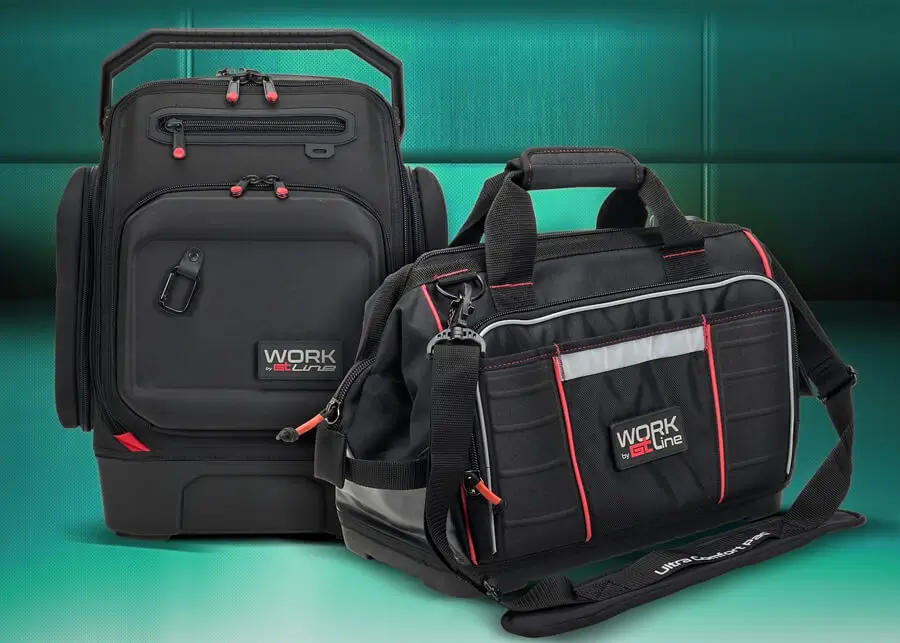
The GT Line of premium tool storage solutions is designed for professionals who demand durability, organization, and comfort on the job. Crafted from tough polyester canvas, GT Line tool bags feature a sophisticated compartment system that ensures effortless transport and efficient organization with a rigid-bottom design for stability and protection for your tools. The Monolith backpack offers unmatched versatility with 43 tool compartments, a padded laptop sleeve for devices up to 17 inches, a tilt-resistant waterproof base, and a dedicated clean compartment for electronics and documents.
The Top 07 backpack combines convenience and security with lockable zippers, a removable tool pallet, and padded straps with a waist belt for all-day carrying comfort. For maximum flexibility, GT Line trolley backpacks function as both a backpack and a rolling case, featuring removable pallets, stowable straps, and an integrated wheel cover for seamless switching between modes.
New GT Line tool belts keep essential tools within reach while maintaining comfort and agility. The modular Top Belt R base supports the TOPELECTRAR pouch for hand tools, TOPNAILR pouch for fasteners, and TOPTAPEPLUSR pouch for measuring tools. These belts provide a customizable tool storage solution for electricians, maintenance technicians, installers, and construction professionals.
GT Line tool belts start at $10.00 (TOPBELTR); tool bags and backpacks start at $70.00 (TOP04R).
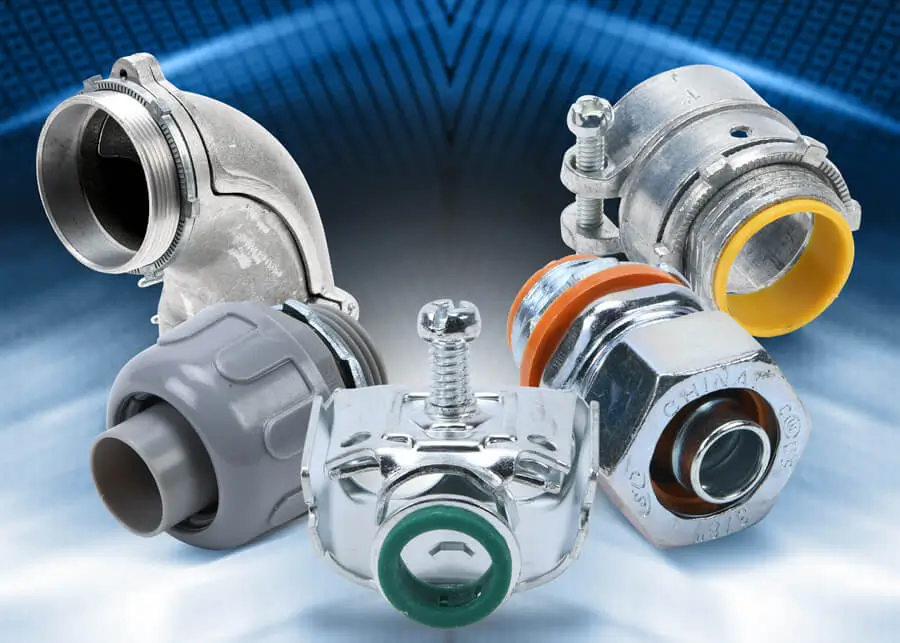
Halex liquid-tight metallic and non-metallic fittings ensure a secure bond between conduits and enclosures, delivering a dependable seal that protects against moisture, oil, and contaminants. Available in trade sizes from 3/8 inch to 2 inch in both straight and 90-degree configurations, these fittings come with insulated and non-insulated options. Reusable components simplify disassembly and reinstallation, making system modifications quick and efficient. The non-metallic versions offer corrosion-proof performance ideal for wet or harsh environments, including hazardous locations.
Halex Flexible Metal Conduit (FMC) fittings provide strong, reliable connections between flexible metal conduit, or aluminum and steel AC/MC cable, and metal boxes or enclosures. Offered in trade sizes from 3/8 inch to 4 inch, these fittings are available in straight and 90-degree styles with a choice of squeeze, screw-in, set screw, saddle, or specialty connectors. A corrosion-resistant zinc finish ensures long-lasting indoor performance, while reusable parts make installation and maintenance easier than ever.
Halex liquid-tight fittings start at $1.25 (27621); FMC fittings start at $11.50 (11010B).
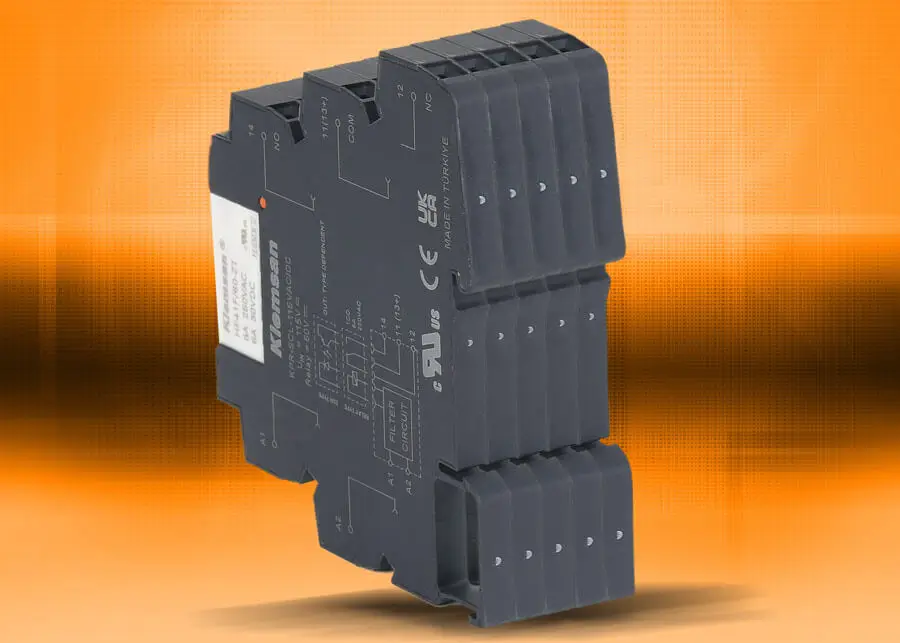
Klemsan slim interface relays feature a highly compact 6.2mm-wide design in a durable, self-extinguishing housing. These high-performance relays are engineered for long life and are ideal for space-constrained control panels and automation systems. They offer flexible integration across various applications with support for a wide range of coil voltages (12 to 230 VAC/VDC). The new lower cost relays include a 6A SPDT contact configuration and built-in coil surge suppression for enhanced reliability and protection.
New Klemsan slim interface relays start at $9.50 (KPR-SCS-12VACDC-1).
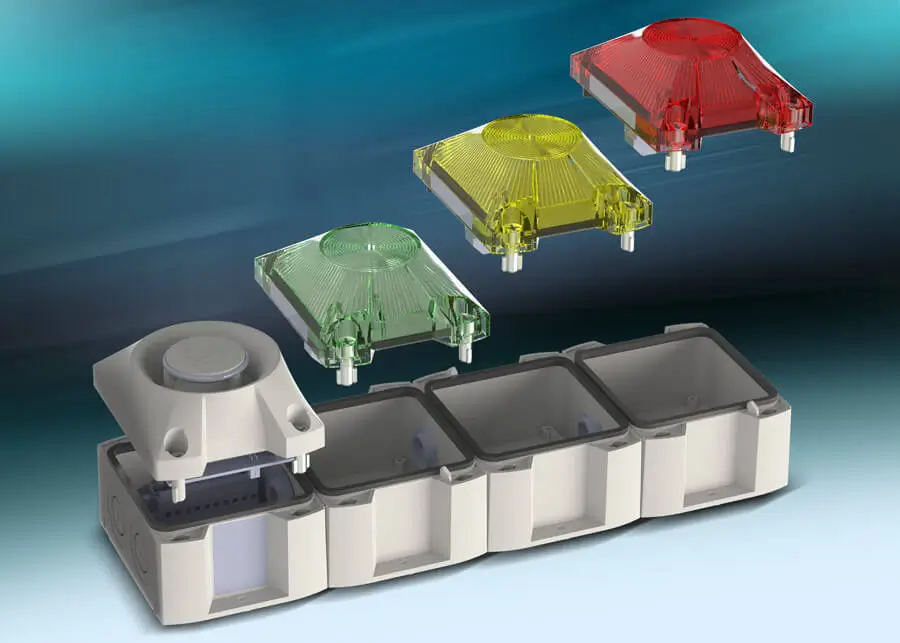
Pfannenberg PYRA series custom traffic light systems consist of pre-wired bases, industrial traffic light elements, and signal horns that can be assembled into a custom multi-tier indicator. PYRA LED traffic light bases are pre-wired for a 1-to-4 stage visual traffic light using assorted colored light elements (red, green, yellow, or blue) or for a 1-to-3 stage audible-visual traffic light with a 105 dB signal horn.
All components are NEMA 4/4X, IK08, and IP66 rated, and offer a 10-year warranty.
PYRA series bases start at $47.00 (21514001055); PYRA series light elements and signal horns are priced at $153.00 (21516643000).
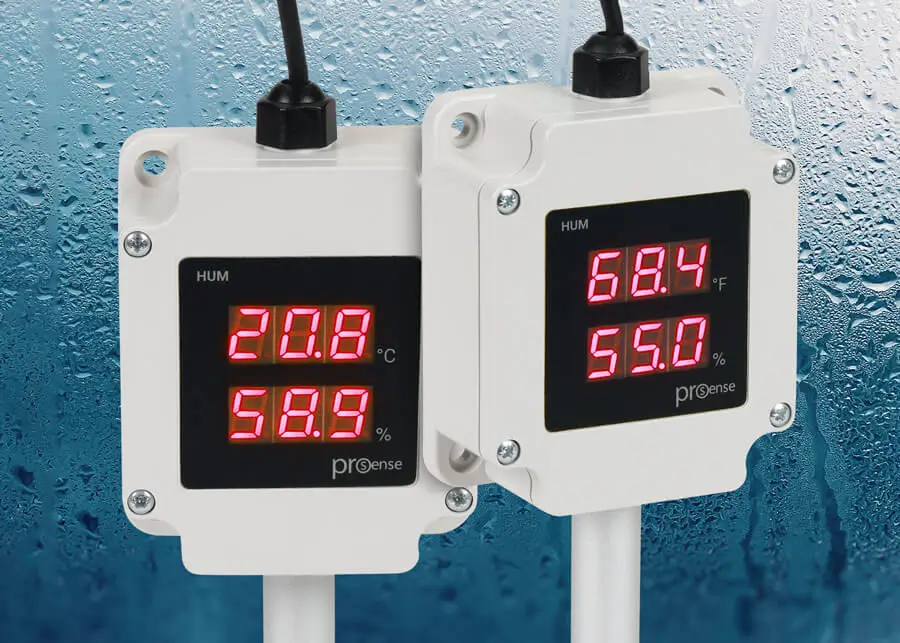
ProSense HUM series humidity sensors provide reliable temperature and relative humidity (RH) measurements for HVAC, cleanroom, and general industrial applications. They offer versatile mounting options and wide measurement ranges (-4 to 140 deg F, 0 to 99.9% RH), with select models providing a seven-segment display for quick, at-a-glance monitoring.
Duct mount sensors include probes that mount directly in air ducts for HVAC and ventilation. Wall / duct models allow flexible installation, with probes that can be mounted through a duct or suspended freely from a wall. Compact wall-mount room sensors are easy to install and provide ambient temperature and RH measurement.
ProSense humidity sensors start at $180.00 (HUM-R-20).
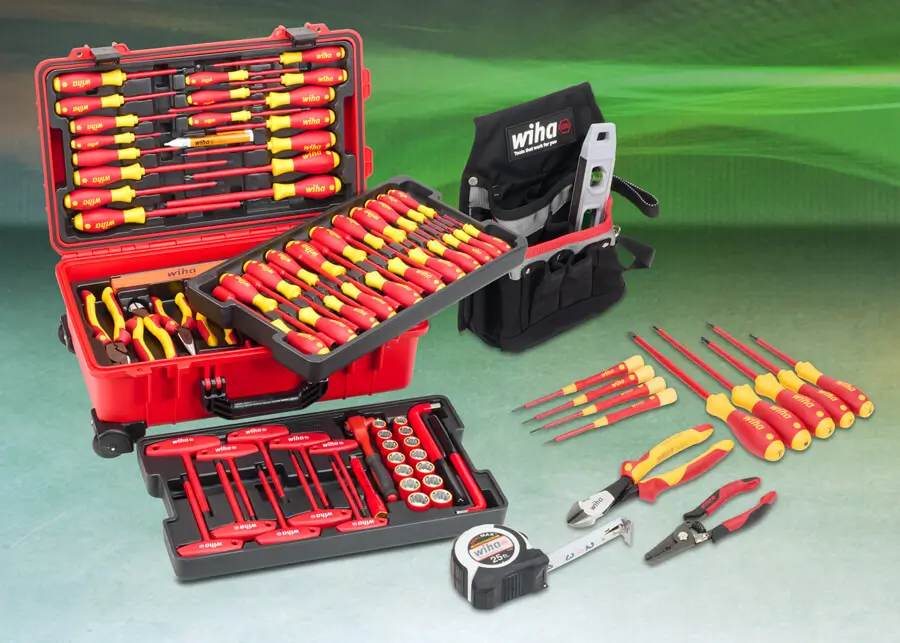
New Wiha foam tray tool sets offer utmost organization and accessibility, with each tray featuring durable tri-layer foam construction with clear tool outlines and printed labels for quick identification and inventory control. Modular sizing allows seamless integration into drawers, tool chests, or mobile workstations. Options include standard and insulated screwdriver trays, plier trays, nut setter and driver bit trays (standard and impact), hex key and combination wrench trays, and ratchet and socket trays.
New electrician tool sets include 16-piece apprentice kits to 80-piece master sets, all tailored for electrical and mechanical professionals. Each kit is housed in heavy-duty storage solutions such as backpacks, Cordura canvas bags, or tool pouches—offering portability and protection for tools on the go. New striking tools, including durable mallets and hammers, deliver controlled, accurate force for assembly, maintenance, and equipment adjustments.
Wiha measuring tools such as calipers (digital, dial, and vernier), folding rulers, and tape measures are indispensable for achieving precision in part sizing, alignment, and quality control. These tools reduce material waste, increase efficiency, and support consistent, high-quality output across every project.
Striking and measurement tools start at $13.00 (WT61602); foam tray sets start at $55.00 (WT32081); electrician sets start at $300.00 (WT32934).





 Updating...