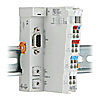
The quick, easy-to-use PX-CFGSW configuration utility helps set up the bus coupler to match the configuration of the network and identify the addresses of each Protos X terminal. The simple-to-read layout shows:
- Slot: the physical location of the terminal
- Terminal Name: part number for terminal
- Short Description: description of each terminal
- Long Description: more details for each
- Modbus Range: the Modbus address for each
The PX-CFGSW tool can also be used to disable or set the Watchdog time, set the Modbus address offset based on controller requirements, and reset the bus coupler as needed.